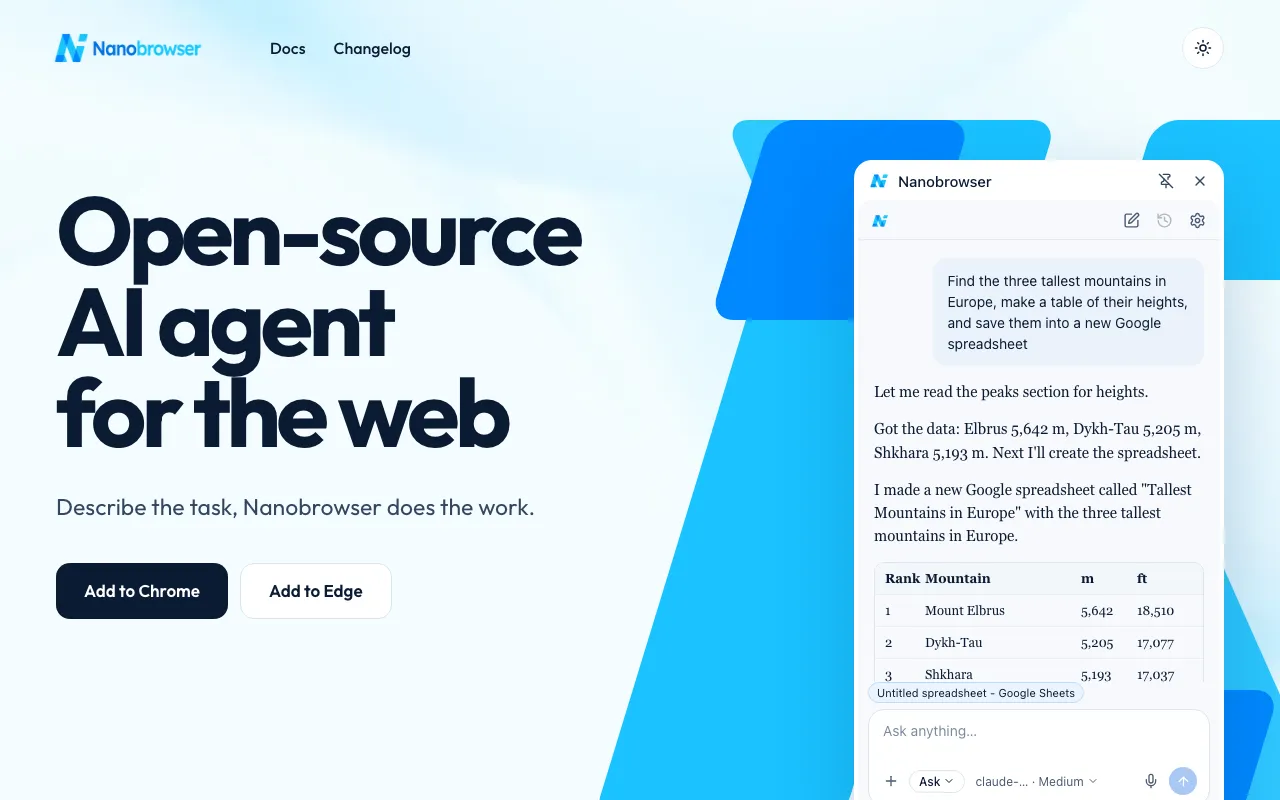
Nanobrowser is a Chrome and Edge extension that automates web tasks in your signed-in browser via a side-panel chat. It reads pages, clicks, types, and switches tabs using your chosen cloud or local LLM.
Overview
Nanobrowser is an AI agent that runs inside Chrome or Edge. You describe a task in the side panel; the agent navigates real pages, interacts with elements, moves across tabs, and can attach images, files, or screenshots. It is built to work with the accounts and sessions you already have in the browser rather than a remote browser farm.
You bring your own model: Anthropic, OpenAI, Google Gemini, AWS Bedrock, OpenRouter, xAI Grok, DeepSeek, Mistral, OpenAI-compatible endpoints, or local stacks such as Ollama and LM Studio. Models must support tool calling, and settings can test providers before use. Ask mode prompts you before submit, send, delete, or upload actions; Auto mode proceeds unless you configured per-site Allow, Ask, or Block rules. Sensitive steps like payment or passwords are handed back to you.
Multiple tasks can run in separate tab groups, with chat history, exports, shortcuts, voice input, user memory instructions, and automatic summarization of older steps in long runs. A deterministic browser control layer sits under the agent, using Chrome’s debugger API and Puppeteer for frames, stable element IDs, and verified click and typing results.
The extension is distributed through the Chrome Web Store and Edge add-ons, with an optional local build loaded unpacked from a compiled dist folder. Firefox, Safari, and untested Chromium variants are not officially supported.
Key features
- Side-panel task chat
- Ask and Auto permission modes
- Cloud and local LLM providers
- Multi-tab concurrent tasks
- File and screenshot attachments
- Per-site permission rules
- Chat history and prompt shortcuts
- Deterministic browser control layer
Use cases
- Research and summarize open tabs
- Form filling and data extraction
- Comparing products across sites
- Saving tables or reports to Downloads