NVM
Node.js version manager for Windows
NVM for Windows installs and switches Node.js versions on Windows without mandatory administrator rights. It is a separate project from the Mac and Linux nvm tool.
CLI for project dev tools, env vars, and tasks
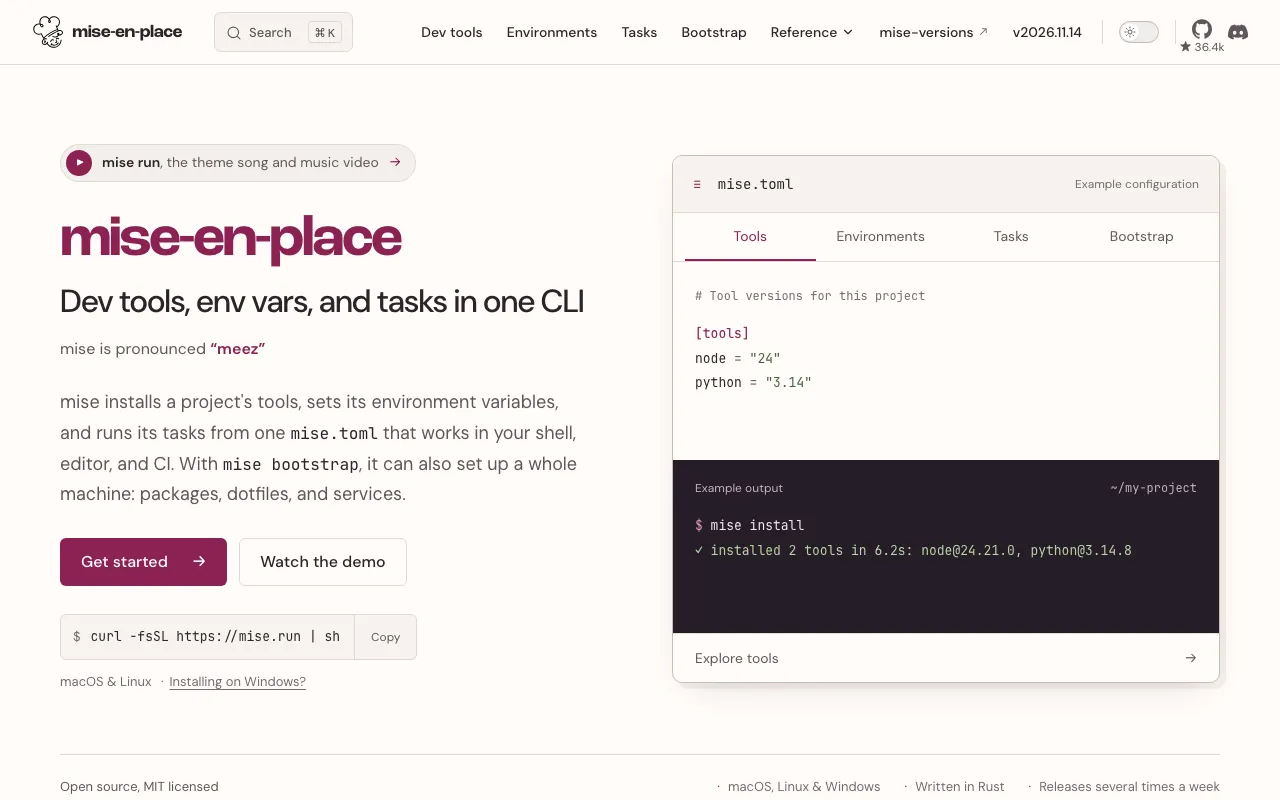
mise coordinates development tool versions, environment variables, and project tasks from a single config that works in your shell, editor, and CI.
mise (short for mise-en-place) keeps per-project setup in one mise.toml file. It installs language runtimes and utilities such as Node.js, Python, Go, Rust, and Terraform from a large registry or direct backends, with different versions per directory.
When you enter a project folder, mise can load variables, .env files, PATH changes, virtual environments, and secrets automatically. It runs tasks declared in mise.toml or scripts under mise-tasks/, including dependencies, parallel runs, file watching, and the project’s tools and environment.
mise bootstrap and dot apply can configure a whole machine with system packages, dotfiles, repositories, defaults, and background services. Each area works independently, so you can adopt tools, env, or tasks alone. Existing version files like .nvmrc or .python-version can stay in place once you enable reading them.
Shell activation updates PATH and env as you change directories; mise exec runs one-off commands with the right toolchain without altering global shell config. Lockfiles pin exact tool versions and checksums for reproducible installs in CI and on other machines.
Node.js version manager for Windows
NVM for Windows installs and switches Node.js versions on Windows without mandatory administrator rights. It is a separate project from the Mac and Linux nvm tool.
Per-user Python version switcher and installer
Pyenv installs multiple Python interpreters and selects global, directory-local, or shell-specific versions. It uses PATH shims instead of loading into the shell.
Cross-platform Node.js version manager in Rust
fnm installs and switches Node.js runtimes on your machine from the shell. It ships as a single binary, starts quickly, and reads project pins from .node-version and .nvmrc files.
Per-directory environment loading for your shell
direnv hooks into bash, zsh, fish, and other shells to load or unload environment variables when you enter or leave a directory. Project settings live in `.envrc` files instead of global profiles.
Host-integrated Linux distribution environments in your terminal
Distrobox wraps Podman, Docker, or Lilipod to run another Linux distro userland tightly linked to your host home, graphics, and devices.
Command-line interface for administering WordPress sites
WP-CLI exposes WordPress dashboard actions and extra maintenance tasks from the shell. Install the phar, then run wp commands against a WordPress installation.