NVM
Node.js version manager for Windows
NVM for Windows installs and switches Node.js versions on Windows without mandatory administrator rights. It is a separate project from the Mac and Linux nvm tool.
Cross-platform Node.js version manager in Rust
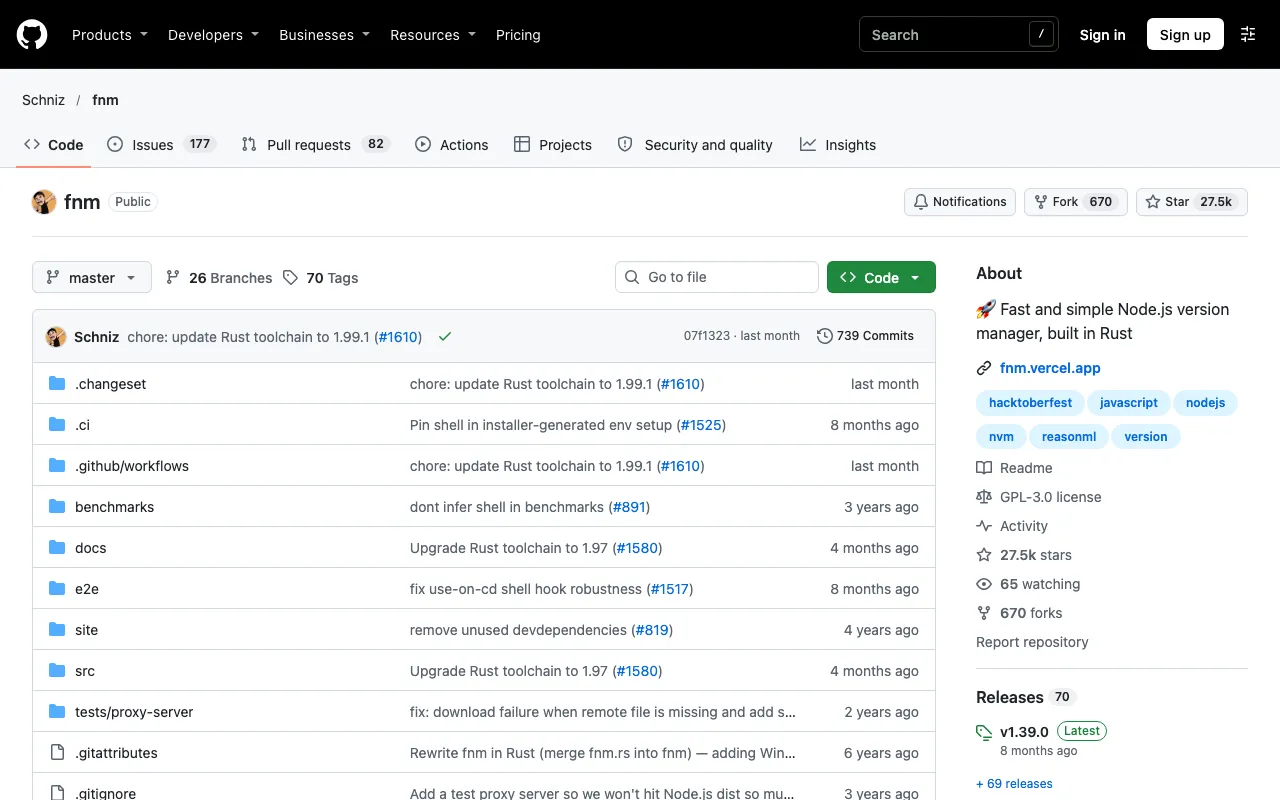
fnm installs and switches Node.js runtimes on your machine from the shell. It ships as a single binary, starts quickly, and reads project pins from .node-version and .nvmrc files.
Fast Node Manager (fnm) is a command-line tool for installing multiple Node.js releases and selecting which one is active in a terminal session. It is implemented in Rust and distributed as one binary with fast startup.
It runs on macOS, Windows, and Linux. Install options include shell scripts, Homebrew, Winget, Scoop, Chocolatey, Cargo, and standalone release binaries. After installation you wire the shell by evaluating output from fnm env, with hooks for bash, zsh, fish, PowerShell, and limited cmd.exe support.
Project directories can pin a Node version using .node-version or .nvmrc. Configuration options document automatic switching when changing directories, shell completions, and custom install locations under XDG-style paths on Linux and application-support paths on macOS.
The tool exposes standard version-manager commands for listing, installing, and using Node builds, and integrates with common Windows terminal setups including Cmder startup scripts.
Node.js version manager for Windows
NVM for Windows installs and switches Node.js versions on Windows without mandatory administrator rights. It is a separate project from the Mac and Linux nvm tool.
Per-user Python version switcher and installer
Pyenv installs multiple Python interpreters and selects global, directory-local, or shell-specific versions. It uses PATH shims instead of loading into the shell.
CLI for project dev tools, env vars, and tasks
mise coordinates development tool versions, environment variables, and project tasks from a single config that works in your shell, editor, and CI.
Per-directory environment loading for your shell
direnv hooks into bash, zsh, fish, and other shells to load or unload environment variables when you enter or leave a directory. Project settings live in `.envrc` files instead of global profiles.

Host-integrated Linux distribution environments in your terminal
Distrobox wraps Podman, Docker, or Lilipod to run another Linux distro userland tightly linked to your host home, graphics, and devices.
Command-line interface for administering WordPress sites
WP-CLI exposes WordPress dashboard actions and extra maintenance tasks from the shell. Install the phar, then run wp commands against a WordPress installation.