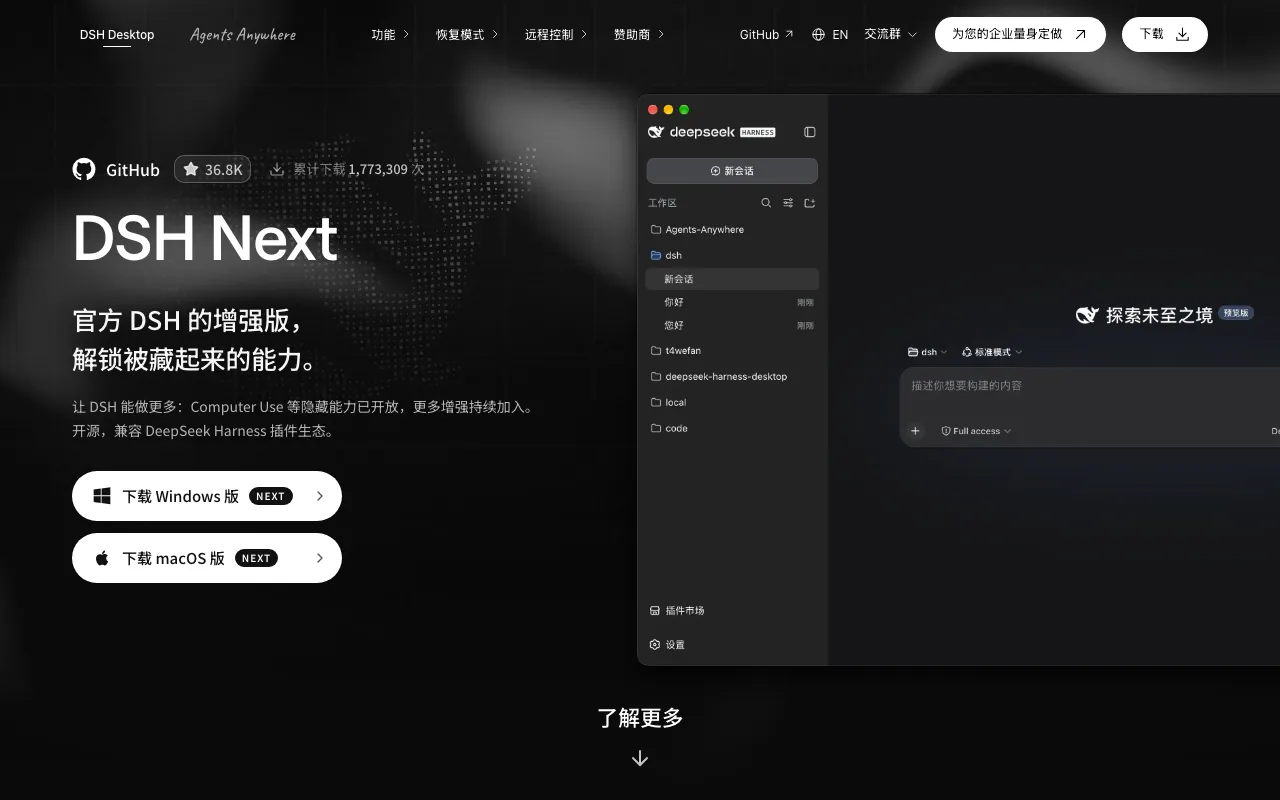
DSH Desktop wraps DeepSeek Harness in a native app for Windows, macOS, and Linux. It runs a pinned upstream Harness build with tray, window, updates, and a composable plugin model.
Overview
DSH Desktop integrates the local DeepSeek Harness web UI, host service, and plugin system into a desktop application. Installers are available for Windows x64, macOS Universal, and Linux on x64 and arm64 via deb, AppImage, or tar.gz without requiring Node.js on the machine.
The desktop shell is itself implemented as a DSH plugin and combines with upstream capabilities through the same plugin mechanism. A built-in community plugin market supports discovery, installation, and management from multiple data sources. Remote control via iOS and Android is included for viewing agent progress away from the desk.
First-time setup uses a native wizard for window mode, notifications, plugin market, and browser or LAN access. The local web service defaults to loopback; optional LAN access exposes URLs without built-in authentication on untrusted networks. Recovery mode helps manage plugins when the app fails to start normally.
Key features
- Native Windows, macOS, Linux app
- Automatic Harness service management
- System tray and desktop window
- Built-in plugin marketplace
- Mobile remote control
- Setup wizard per profile
- Browser and LAN web access
- Recovery mode for plugin issues
Use cases
- Local DeepSeek Harness on desktop
- Installing and managing DSH plugins
- Agent tasks from phone or tablet
- Graphical Harness without command line

 ChatGPT


 Anthropic Claude