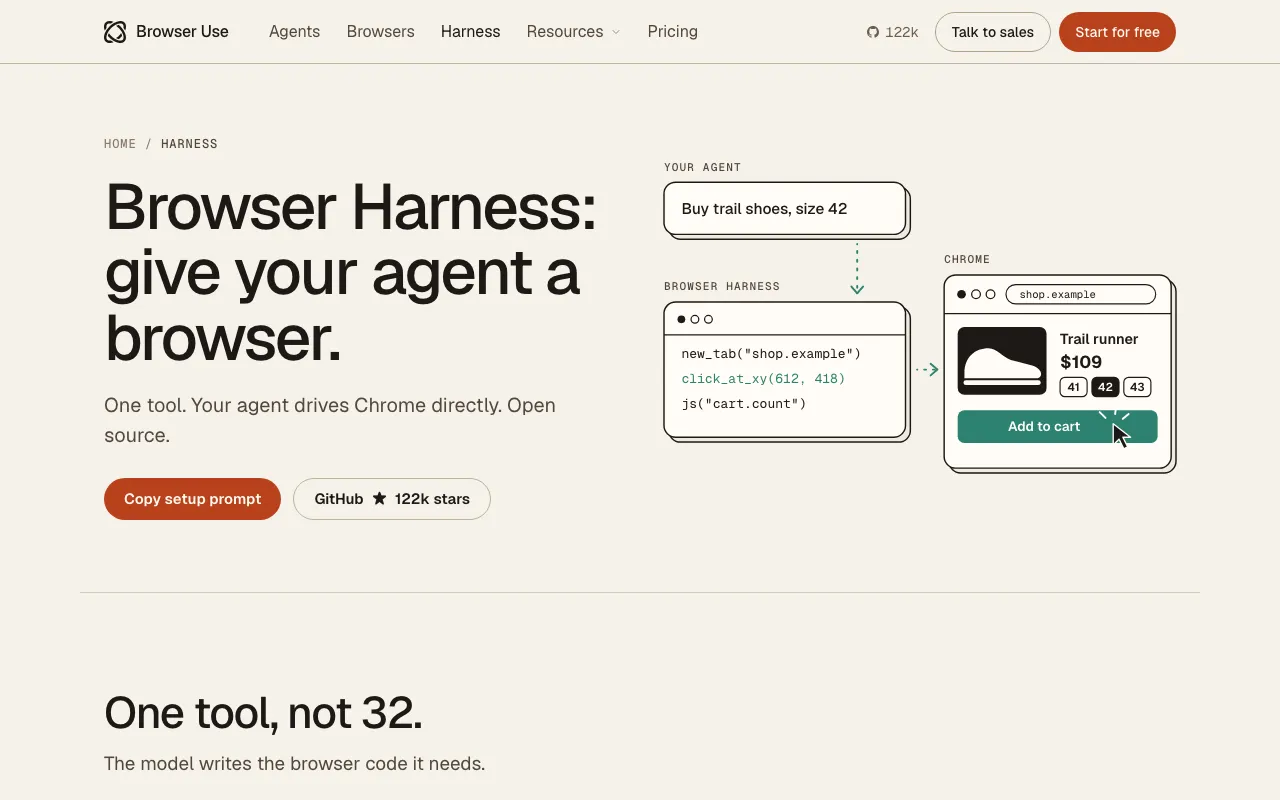
Browser Harness connects Claude Code, Codex, or Cursor to a running Chrome session via DevTools Protocol. Agents can navigate, click, type, read pages, and download while using your existing logins.
Overview
Browser Harness is a Python-based tool that lets coding agents operate a real Chrome instance instead of a separate automation profile. Setup begins with a prompt pasted into the agent, which enables remote debugging and teaches a browser workflow through bundled skill documentation.
Communication uses the Chrome DevTools Protocol. The agent can add reusable helper code in a local workspace while core harness code stays fixed, so routines improve as tasks run.
The same capabilities can be exposed through an MCP server for clients that prefer tool calls over a CLI. The project also integrates with Browser Use Cloud when many parallel or managed browsers are needed.
Comparison docs position it against Playwright MCP, Chrome DevTools MCP, agent-browser, and similar options, emphasizing whole-browser access when remote debugging is allowed on Chrome 144+.
Key features
- Real Chrome DevTools Protocol control
- Agent-driven helper generation
- One-prompt local setup flow
- MCP server exposure
- Logged-in profile automation
- Skill-based browser workflows
- Cloud browser scaling option
- Multi-agent client support
Use cases
- Logged-in social media tasks
- Agent-driven web research
- Automated downloads from authenticated sites
- Coding agents needing live browser access


 ChatGPT

 Claude Cowork