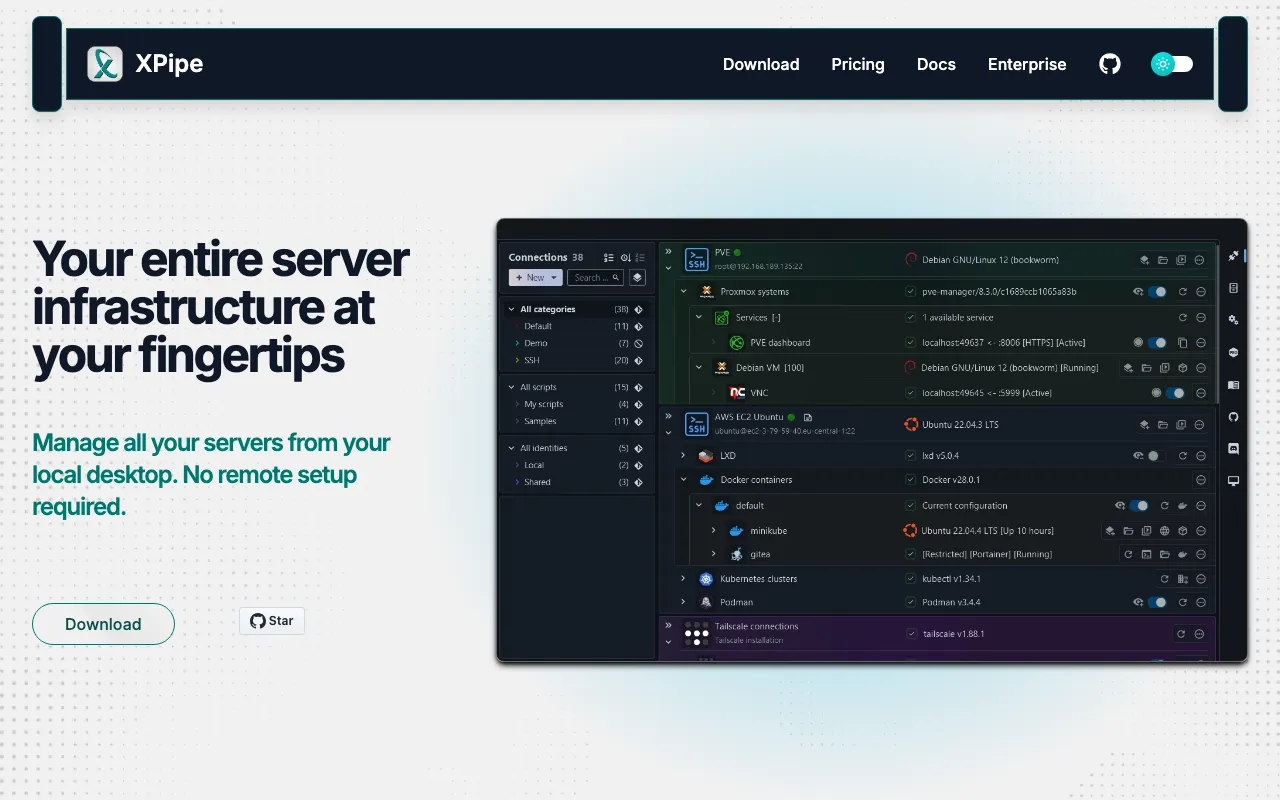
XPipe is a desktop connection hub that reaches your servers, containers, VMs, and clusters from one place. It uses your existing SSH, Docker, and other CLI tools without remote setup.
Overview
XPipe is a connection hub meant to run on your local desktop workstation, not on servers. It sits on top of command-line tools you already have, such as SSH, Docker, Podman, Kubernetes clients, and hypervisor APIs, and does not require configuration on remote machines.
A central hub organizes connections in categories and supports SSH configs, tunnels, containers, LXD and Incus, Proxmox and other hypervisors, Tailscale and similar overlays, cloud hosts, RDP and VNC, WSL, Cygwin, MSYS2, and Kubernetes workloads. Quick actions cover starting or stopping resources and opening tunnels.
A built-in file browser works across remote systems with tabbed multitasking, sudo elevation without restarting sessions, and opening local editors on remote files. A terminal launcher opens your preferred emulator into remote shells, with support for common multiplexers and prompts.
Connection data lives in a local encrypted vault; optional sync uses your own git remote. Password managers can supply secrets. An optional webtop container image exposes a browser-based desktop with XPipe preinstalled for containerized access.
Key features
- Hierarchical connection hub for many targets
- Remote file browser with local editor integration
- One-click terminal launcher to remote shells
- SSH, Docker, K8s, and hypervisor integrations
- RDP, VNC, and X11 forwarding support
- Reusable remote shell scripts and init environments
- Vault sync via your own git repository
- Optional MCP server for agent automation
Use cases
- Managing many SSH and jump-host setups
- Copying and editing files on remote servers
- Working with Docker and Kubernetes from one UI
- Homelab VM and container administration