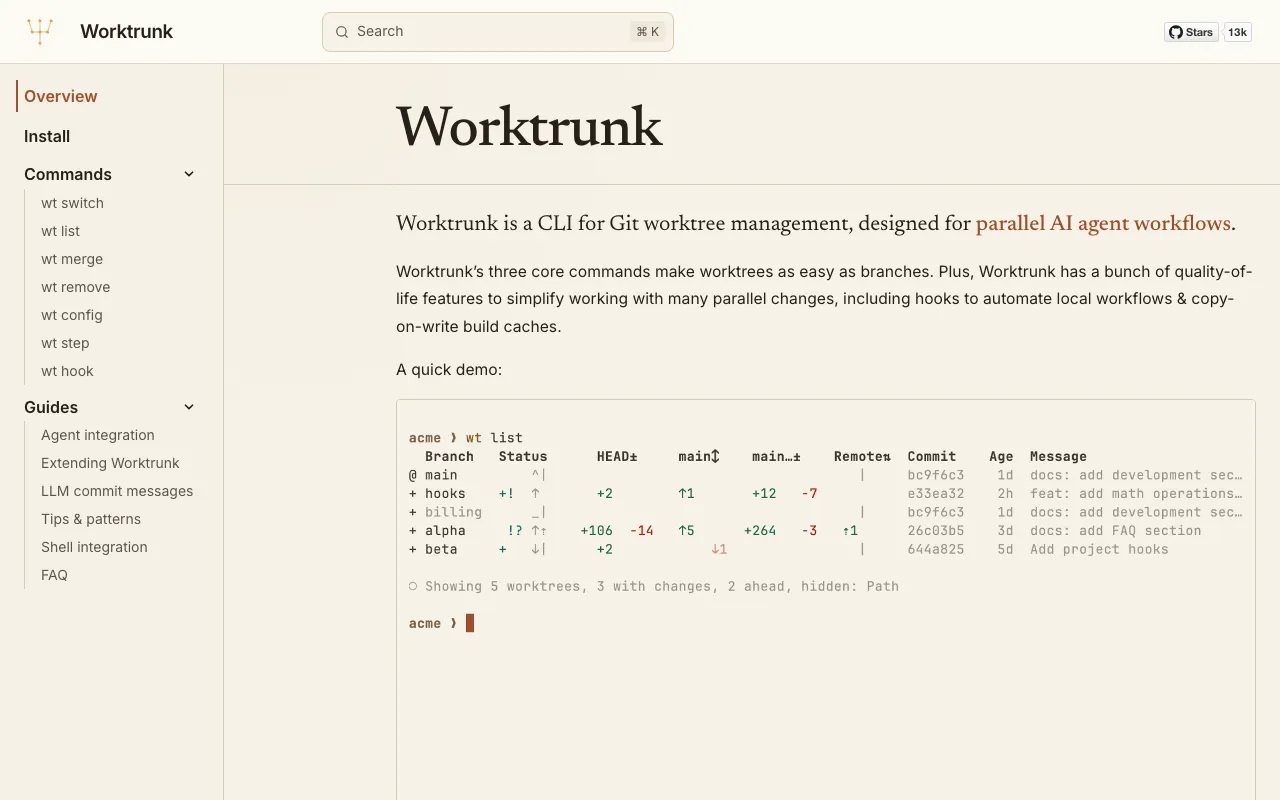
Worktrunk is a command-line tool that simplifies Git worktrees for parallel AI coding agents, with switch, list, merge, and remove commands plus workflow automation.
Overview
Worktrunk addresses Git worktree workflows where several AI agents such as Claude Code or Codex run in parallel, each needing its own working directory. Native Git worktree commands repeat branch names and paths; Worktrunk treats worktrees like branches with paths from a configurable template.
Core commands cover switching worktrees, creating branches and worktrees together, listing status-rich worktree views, merging with squash or rebase options, and removing worktrees and branches. The list view can show staging state, ahead and unpushed commits, and extended CI or summary information.
Quality-of-life features include hooks on create and merge, LLM-generated commit messages, an interactive picker with diffs and PR previews, copy-on-write shared build caches on supported filesystems, PR checkout by number, per-worktree dev server ports, aliases, and branch-scoped variables.
Install options include Homebrew on macOS and Linux, Cargo, Winget on Windows, Arch packages, Conda or Pixi, and experimental PyPI or uv runs. Shell integration lets commands change directories after switches, and you can launch an agent with a flag after switching worktrees.
Key features
- wt switch, list, merge, remove
- Branch-named worktree paths
- Hooks for workflow automation
- LLM commit messages from diffs
- Interactive worktree picker
- Copy-on-write build cache sharing
- PR checkout via wt switch
- Post-switch external command launch
Use cases
- Running several AI agents in parallel
- Daily Git worktree branch switching
- Local squash merge before cleanup
- Per-branch dev servers and caches



 CodeRabbit