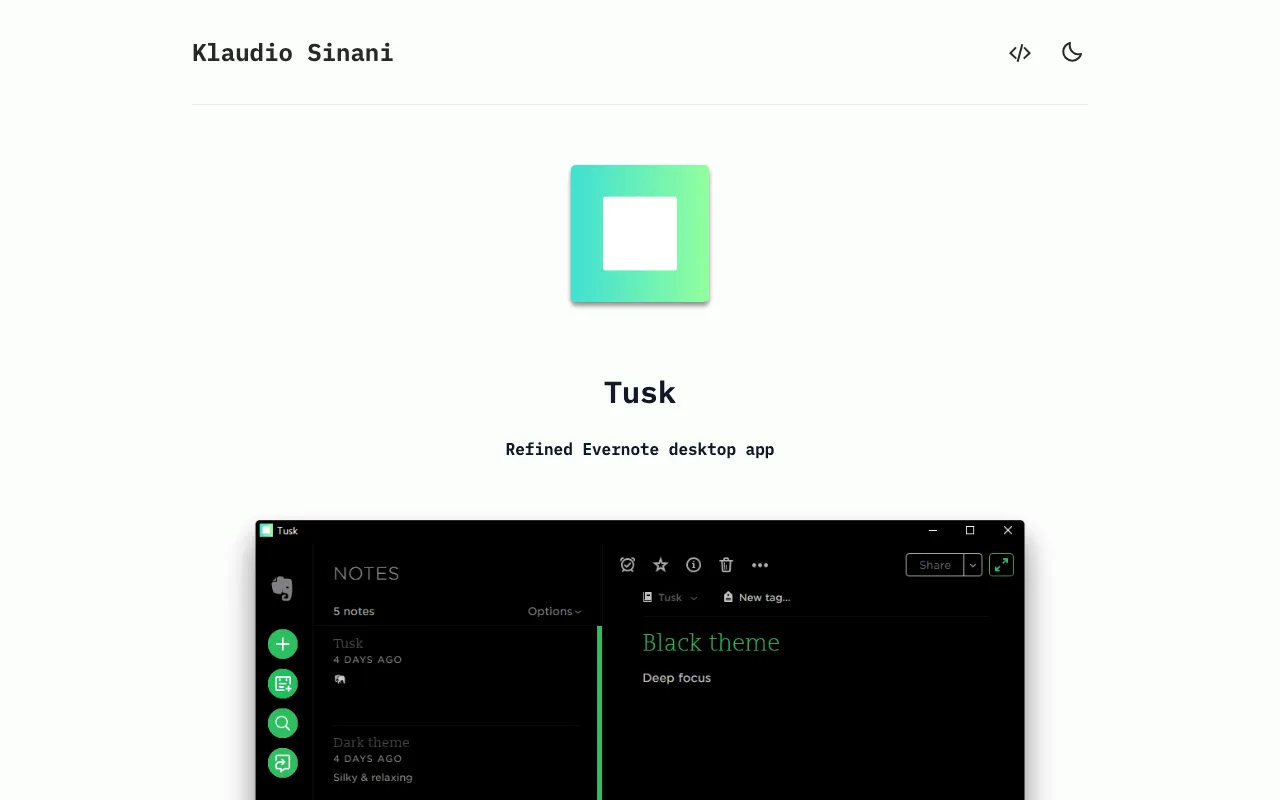
Desktop client for Evernote and Yinxiang with themes, shortcuts, and note export. Install via releases, Snap on Ubuntu, or Homebrew on macOS.
Overview
Tusk is an unofficial open-source desktop application for Evernote. It is community-driven and not affiliated with Evernote. Users sign in to Evernote or switch to Yinxiang from the app menu to manage notes on their own machine.
The interface supports black, dark, and sepia themes, focus and compact layouts, and auto-night mode. Notes can be exported as PDF, HTML, or Markdown. Local and global keyboard shortcuts are customizable through a configuration file, and files can be attached by drag and drop.
Installation options include GitHub release installers, Snapcraft on Ubuntu Linux, and Homebrew Cask on macOS. Evernote has pointed to Tusk as an alternative client for Linux environments among open-source users.
The app is cross-platform with a scalable zoom level, update notifications, note navigation with tabs and numeric jumps, and printing. Global shortcuts can summon the window or create and search notes from elsewhere in the operating system.
Key features
- Black, dark, and sepia themes
- Focus and compact modes
- Export notes as PDF, HTML, Markdown
- Custom local and global shortcuts
- Yinxiang account support
- Drag-and-drop file attachments
- Note navigation and printing
- Auto-night mode
Use cases
- Evernote on Linux desktops
- Themed distraction-free note editing
- Exporting notes to local files
- Yinxiang instead of Evernote

 Asana
 Coda

 Miro

 Evernote