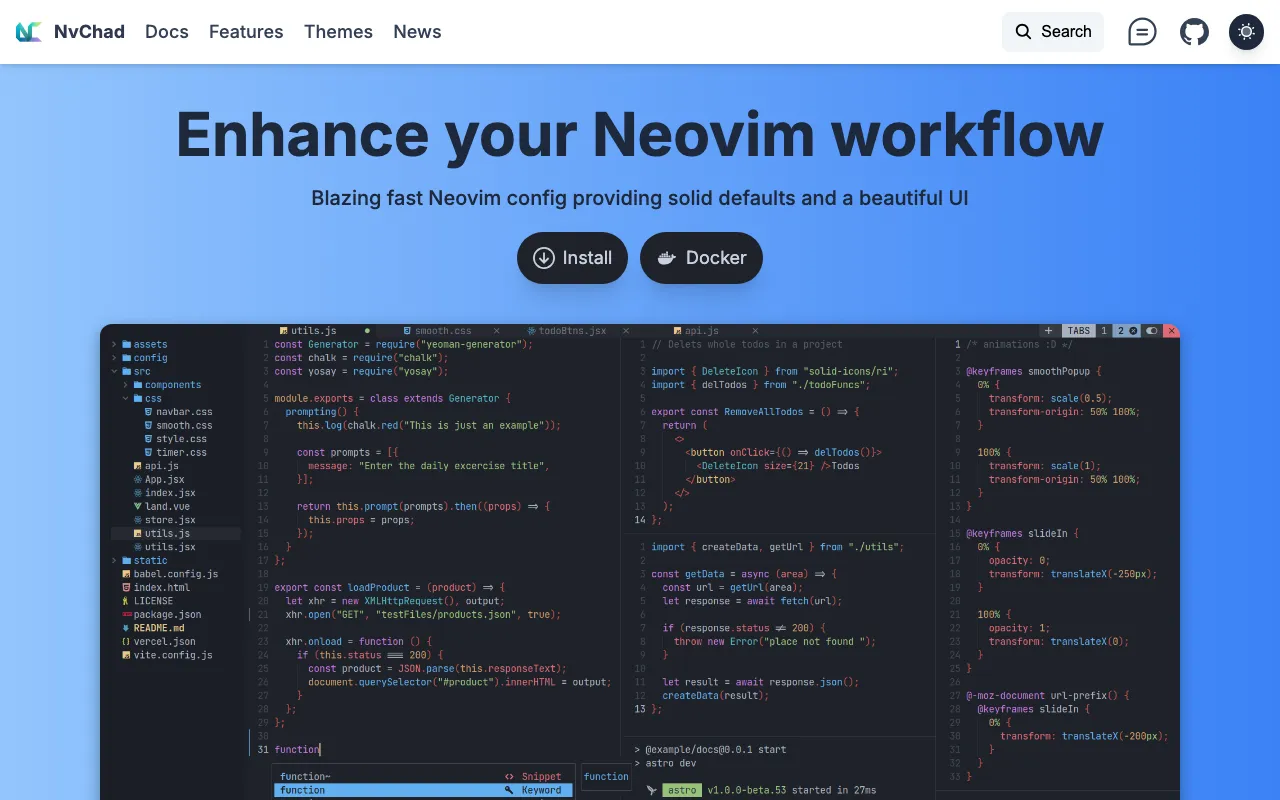
NvChad is a Neovim setup written in Lua that ships tuned UI plugins, lazy-loaded extensions, and many color themes. It installs as a base layer you extend with your own config.
Overview
NvChad targets developers who want a lightweight editor workflow on modest hardware instead of heavier GUI IDEs. Configuration is Lua-first and integrates with Neovim’s Lua API and Lua plugins. Most plugins load only when needed via lazy loading, which keeps startup time low on the project's reference test machine.
The default experience includes customized Telescope, Nvim-tree, a custom statusline, per-tab buffer line, cheatsheet UI, and theme picker. The project also maintains its own theme plugin and UI components for status and buffer lines. Dozens of built-in themes ship with overridable colors.
Package management uses lazy.nvim, which also supports updating NvChad itself. Default plugins and UI can be extended, disabled, or overridden. The overall config is kept small in line count. Docker-based install is documented on the project site.
Users treat NvChad as a plugin layer and add personal settings on top, similar in intent to other popular Neovim starter configs the author cites as inspiration.
Key features
- Lazy-loaded plugins by default
- Custom statusline and tab buffer line
- Telescope and Nvim-tree tuning
- Many built-in color themes
- lazy.nvim package management
- Inbuilt cheatsheet and theme picker
- Configurable or disable defaults
- Docker install option
Use cases
- Lightweight coding on low-spec hardware
- Themed Neovim without manual plugin tuning
- Starting point for a personal Lua config
- Terminal-first development workflow
- Fuzzy find and file tree out of the box