Ray.so
Raycast web tools for code images and explore pages
ray.so hosts browser-based utilities from Raycast for turning code into shareable images and browsing prompts, presets, snippets, themes, quicklinks, and extension icons.

AI-assisted draw.io diagram editor and MCP server
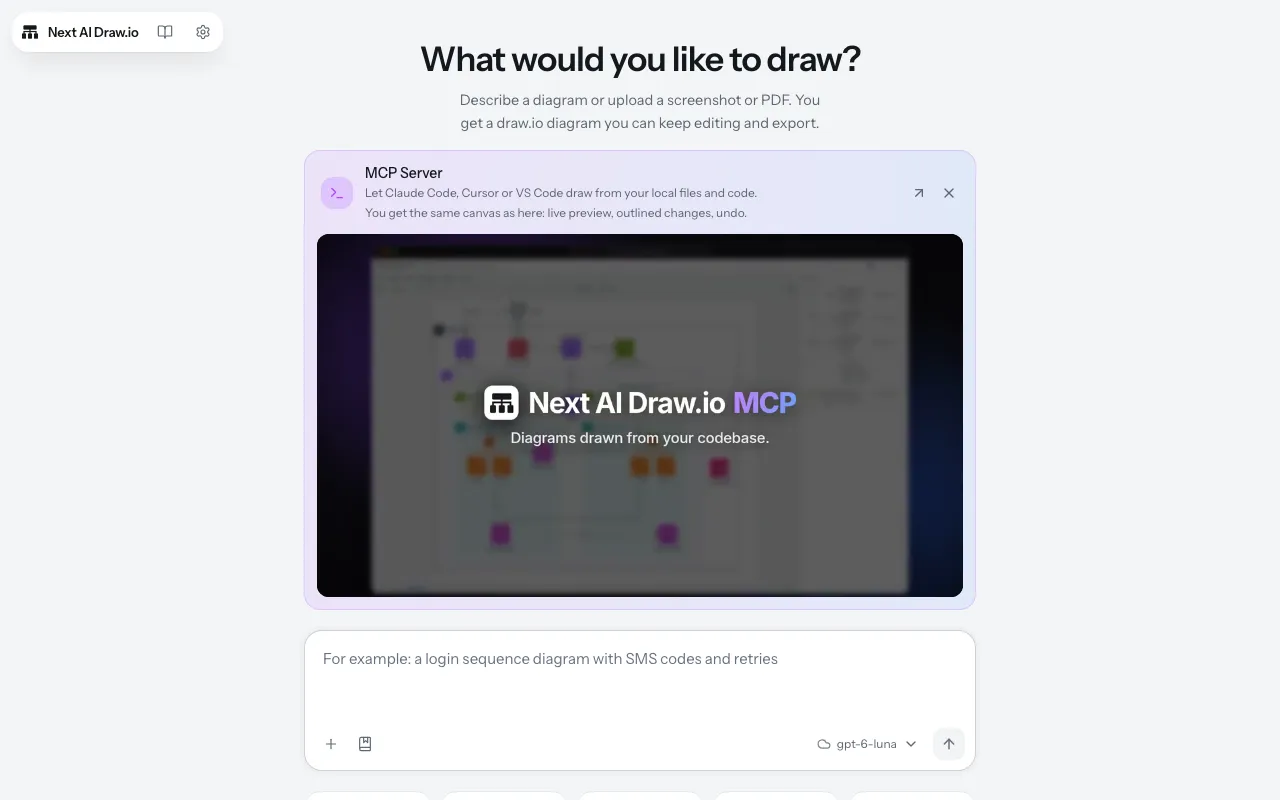
Next AI Draw.io turns text prompts, uploads, and selections into editable draw.io diagrams. It ships as a web demo, desktop builds, and an MCP server for coding agents.
Next AI Draw.io lets people describe diagrams in chat or upload screenshots, sketches, PDFs, Markdown, or code and receive a diagram on a real draw.io canvas. Each AI edit is stored as a version with thumbnails so you can compare, restore, or undo changes, and exports include .drawio, PNG, and SVG.
Drawing coverage spans architecture, flowcharts, sequence diagrams, ER models, BPMN, and similar shapes, with built-in icon libraries for AWS, Azure, GCP, and Kubernetes. Connectors can animate, and you can edit results manually with normal draw.io tools across multiple pages. Chat-based edits stream onto the canvas and can target only selected shapes.
The product is offered as an online demo, installable desktop apps for Windows, macOS, and Linux, and an MCP server for Claude Code, Cursor, VS Code, and other MCP clients. The MCP path exposes the same canvas rules, version history, multi-page documents, exports, and offline preview bundled in the package. Many model providers are supported, and browser-side API keys stay on the client when you supply your own credentials.
Deployment options include local runs, Docker, Cloudflare Workers, and offline or intranet setups described in project guides, with an admin panel for multi-model configuration on self-managed installs. Compared with draw.io’s own Generate menu item, this tool emphasizes sending the live canvas with each message, version cards for AI edits, and broader provider choice including local models through Ollama.
Raycast web tools for code images and explore pages
ray.so hosts browser-based utilities from Raycast for turning code into shareable images and browsing prompts, presets, snippets, themes, quicklinks, and extension icons.

Open-source personal AI assistant running on your devices and chat apps
Open-source AI assistant that runs on your own computer and answers in chat apps such as WhatsApp, Telegram, Slack and Discord. State, memory and credentials stay on your hardware.

Open-source plugin-based agent harness from DeepSeek
DeepSeek Harness is an open-source agent harness built on an everything-is-a-plugin architecture powered by Cordis. It offers a web UI, desktop app, and extensible plugins for daily work, coding, and automation.

Self-improving open-source AI agent with memory, skills and messaging gateway
Open-source AI agent from Nous Research that keeps persistent memory, creates skills from experience, and runs from a terminal, desktop app or messaging platforms with any model provider.
Run open AI models locally or in the cloud
Ollama runs open language models such as Gemma, Qwen, DeepSeek and gpt-oss on macOS, Windows and Linux, locally or in the cloud. It offers a CLI, a REST API, and Python and JavaScript libraries.
Gradio web interface for Stable Diffusion
AUTOMATIC1111’s web UI wraps Stable Diffusion with txt2img, img2img, inpainting, upscalers, training tabs, and a settings-driven Gradio front end. Install scripts target NVIDIA and AMD GPUs plus Apple Silicon.
 ChatGPT
 Anthropic Claude