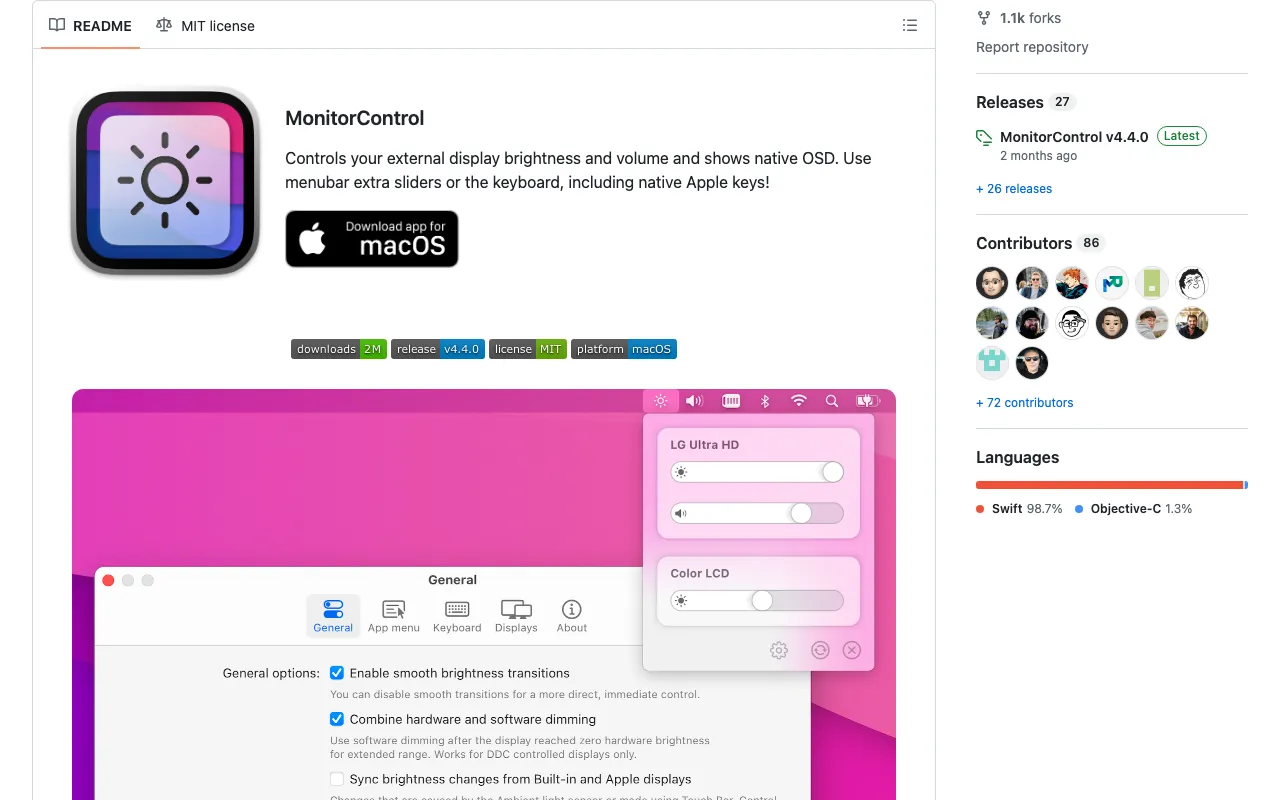
MonitorControl adjusts external display brightness, volume, and contrast on Mac and shows native on-screen displays. Control via menubar sliders or keyboard, including Apple media keys.
Overview
MonitorControl is a macOS application that drives hardware and software brightness, volume, and contrast on connected displays while mirroring Apple-style OSD feedback.
It speaks DDC/CI over USB-C, DisplayPort, HDMI, DVI, or VGA for many third-party LCDs, uses native protocols on Apple and built-in panels, and falls back to gamma-based dimming or shade overlays for virtual screens such as AirPlay, Sidecar, and DisplayLink.
Hardware and software dimming can combine to dim below a panel’s minimum backlight, sync brightness across all displays from one slider or shortcuts, and mirror ambient-light or Touch Bar changes from built-in screens onto externals. Smooth transitions, full black dimming, and custom shortcuts are supported alongside default Apple keyboard brightness and media keys.
Install by copying the app from a disk image into Applications; Accessibility permission is needed only if you want native keyboard brightness and media keys. Advanced settings expose many hardware-specific tweaks. Compatibility varies by macOS release and display type; some HDMI ports on certain Mac models lack DDC, and some brands only support software dimming.
Key features
- DDC brightness, contrast, and volume on externals
- Native Apple display protocol support
- Gamma and shade dimming fallbacks
- Unified slider across multiple monitors
- Native macOS brightness and volume OSD
- Custom and Apple keyboard shortcuts
- Menubar sliders for quick adjustments
- Advanced per-display tuning options
Use cases
- Control non-Apple monitors from the Mac keyboard
- Match built-in and external brightness levels
- Dim office displays below hardware minimum
- Adjust volume on monitors with speakers
- Manage multi-monitor setups from the menubar

 ChatGPT