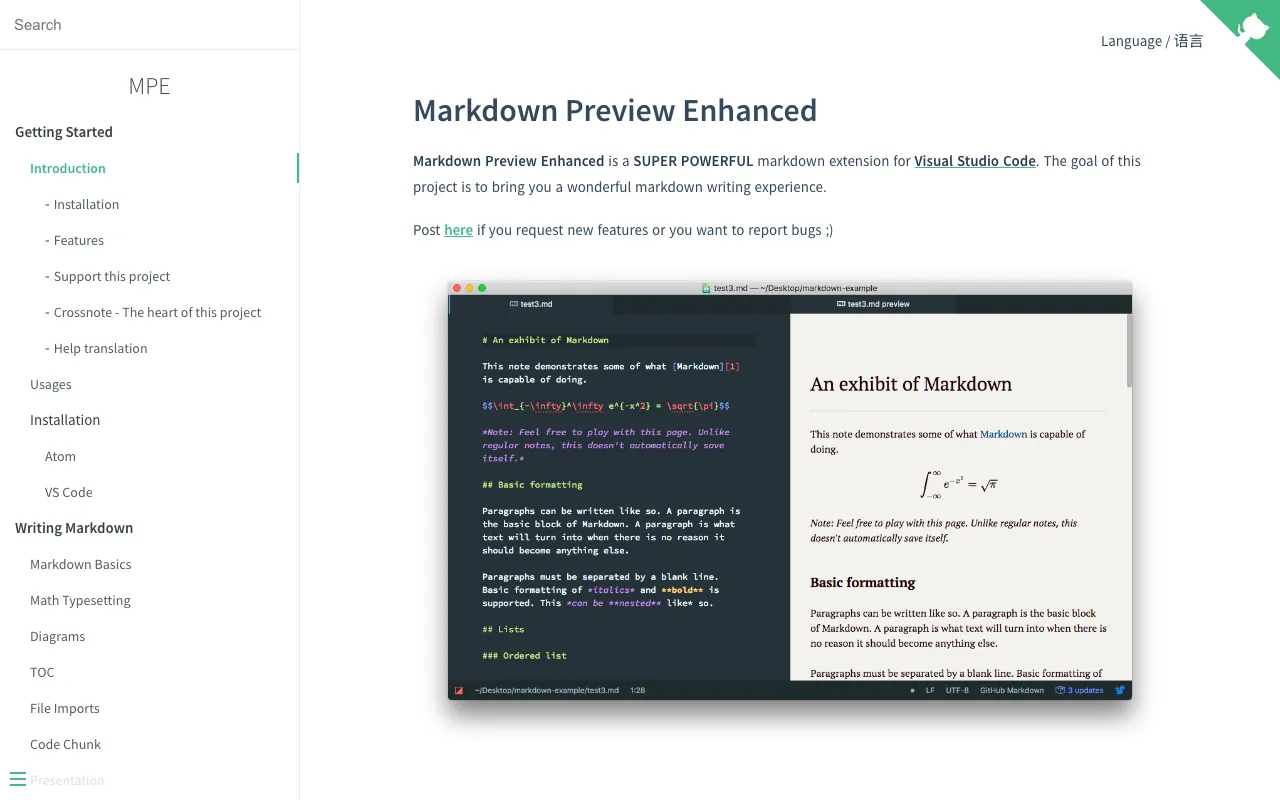
Markdown Preview Enhanced extends VS Code with live preview, math, diagrams, exports, and Pandoc workflows. Crossnote powers the VS Code implementation.
Overview
Markdown Preview Enhanced is an editor extension focused on writing and previewing Markdown in Visual Studio Code. It adds scroll sync, LaTeX math, Mermaid and PlantUML diagrams, table-of-contents handling, code chunks, presentation mode, and many export paths including PDF, HTML, and eBook-related flows via Pandoc, Puppeteer, or Prince where configured.
Installation targets Visual Studio Code; the Atom variant is no longer maintained, with extension source living in a separate repository. Features include importing external files, customizable preview CSS, GitHub Flavored Markdown compilation, image helpers, footnotes, front matter, and task lists. Crossnote serves as the core used by the VS Code edition.
Users trigger preview and export through keyboard shortcuts for Windows and macOS layouts. The extension is open source under the University of Illinois/NCSA license and supports community funding through sponsors.
Key features
- Automatic scroll-synced preview
- LaTeX and KaTeX math
- Mermaid and PlantUML diagrams
- Pandoc and multi-format export
- PDF export via Puppeteer
- Presentation writer mode
- Code chunk execution
- Custom preview CSS
Use cases
- Technical writing in VS Code
- Slide-style Markdown presentations
- Docs with diagrams and math
- Exporting notes to PDF or HTML
- Academic or lab notebooks