TensorFlow
End-to-end machine learning platform and tooling ecosystem
TensorFlow is a machine learning platform with Python and C++ APIs, optional GPU packages, and companion libraries for data, training, deployment, and visualization.
Extensible browser-based interactive computing workspace
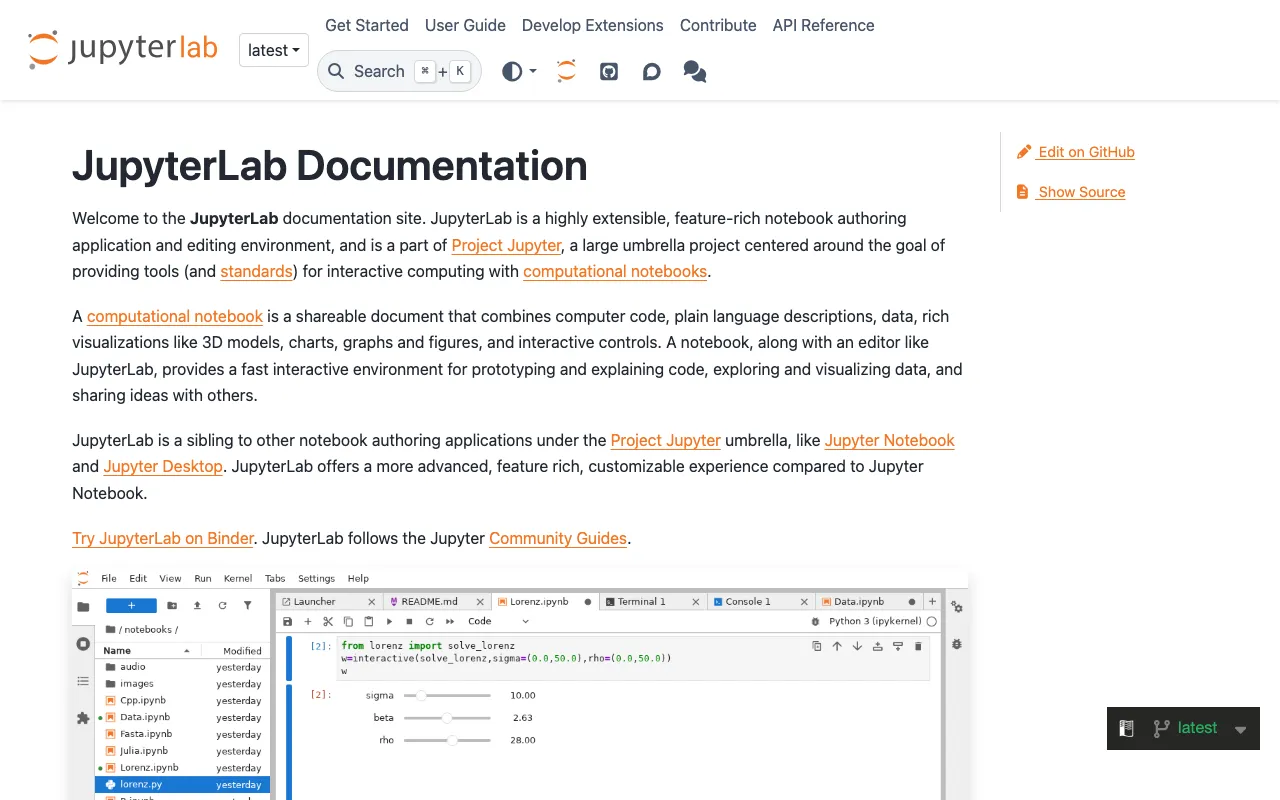
JupyterLab is Project Jupyter's notebook UI: notebooks, terminals, editors, and file browsing in one flexible interface. You install it with conda, mamba, or pip and start it with the jupyter lab command.
JupyterLab provides an interactive environment for reproducible computing built on the Jupyter notebook model. It combines notebooks, code consoles, text editors, terminals, a file browser, and rich outputs in a customizable layout users open in the browser after starting the server.
Extensions expand the UI via npm packages and public APIs. Prebuilt extensions ship through PyPI, conda, and similar installers; source extensions install from npm but need a build step. Users can discover extensions through package indexes and community listings described in the documentation.
Installation uses common Python packaging tools. After setup, launching the jupyter lab command starts the application, which then opens in a supported browser such as Firefox, Chrome, or Safari. Documentation covers PATH setup when using user-level pip installs and integration when older Jupyter Notebook versions need a server extension enabled.
Compared to classic Jupyter Notebook, the project positions JupyterLab as a more advanced, customizable authoring and editing experience within the same Project Jupyter ecosystem. Features noted in docs include real-time collaboration, debugging, Language Server Protocol support, export options, and deployment on JupyterHub.
End-to-end machine learning platform and tooling ecosystem
TensorFlow is a machine learning platform with Python and C++ APIs, optional GPU packages, and companion libraries for data, training, deployment, and visualization.

Extensible editor for edit-build-debug workflows
Visual Studio Code combines a lightweight code editor with navigation, debugging, and an extension model. Builds are available for Windows, macOS, and Linux, with a browser-based option.

Run open AI models locally or in the cloud
Ollama runs open language models such as Gemma, Qwen, DeepSeek and gpt-oss on macOS, Windows and Linux, locally or in the cloud. It offers a CLI, a REST API, and Python and JavaScript libraries.

Shared model definitions for multimodal ML workloads
Transformers is a Python library that defines pretrained text, vision, audio, and multimodal models once in PyTorch for shared inference and training across the ecosystem.

Agent development environment for parallel coding agents
Orca is a cross-platform agent IDE where you run CLI coding agents in chat or terminal, split work across isolated git worktrees, and coordinate bots from Slack, Linear or GitHub

LLM inference engine in C/C++ for local and cloud hardware
llama.cpp runs large language models and multimodal models locally or in the cloud with minimal setup. It includes a CLI, an OpenAI-compatible server with a built-in chat app, and a C library API.