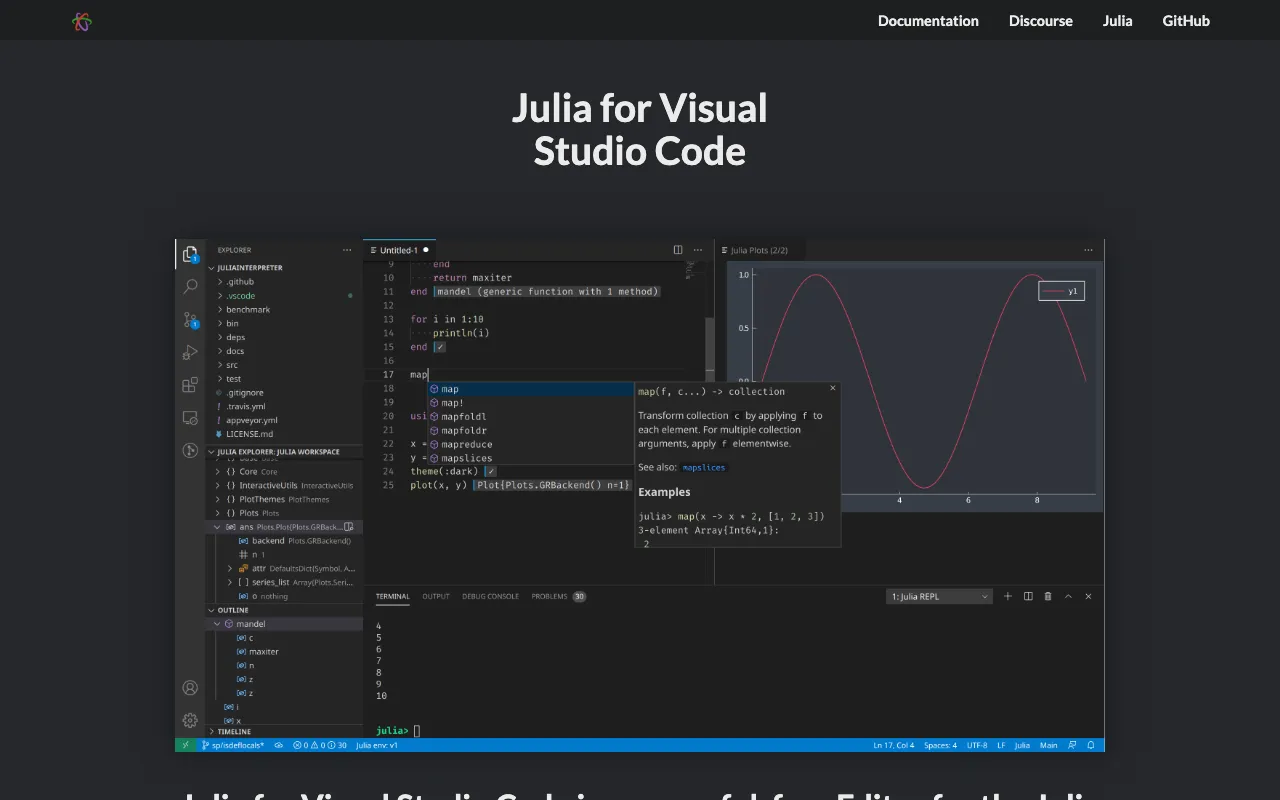
Julia for Visual Studio Code adds Julia language support inside VS Code. It includes editing, a REPL, debugging, and project tooling for Julia developers.
Overview
Julia for Visual Studio Code is an editor extension that brings the Julia programming language into Microsoft Visual Studio Code. You install it from the VS Code marketplace, then point it at a Julia executable on your machine or let it auto-detect standard installs on Mac or Windows.
The extension provides syntax highlighting, snippets (including LaTeX and user-shared snippets), Julia-specific commands, and an integrated Julia REPL. It offers code completion, hover help, a linter, code navigation, and tasks for running tests, builds, benchmarks, and documentation builds.
A debugger, plot gallery, and grid viewer for tabular data are included. Integrated support for Weave.jl is also part of the feature set. Documentation on the project site and wiki covers shortcuts and behavior.
The product is built on several Julia and VS Code integration packages. It targets developers who want a live coding environment with notebook-like feedback while keeping IDE features such as static analysis and debugging.
Key features
- Syntax highlighting and snippets
- Integrated Julia REPL
- Code completion and hover help
- Linter and code navigation
- Debugger and test or build tasks
- Plot gallery and table grid viewer
- Weave.jl integration
- Configurable Julia executable path
Use cases
- Julia development in VS Code
- Interactive REPL-driven coding
- Debugging Julia applications
- Running tests and benchmarks from the editor