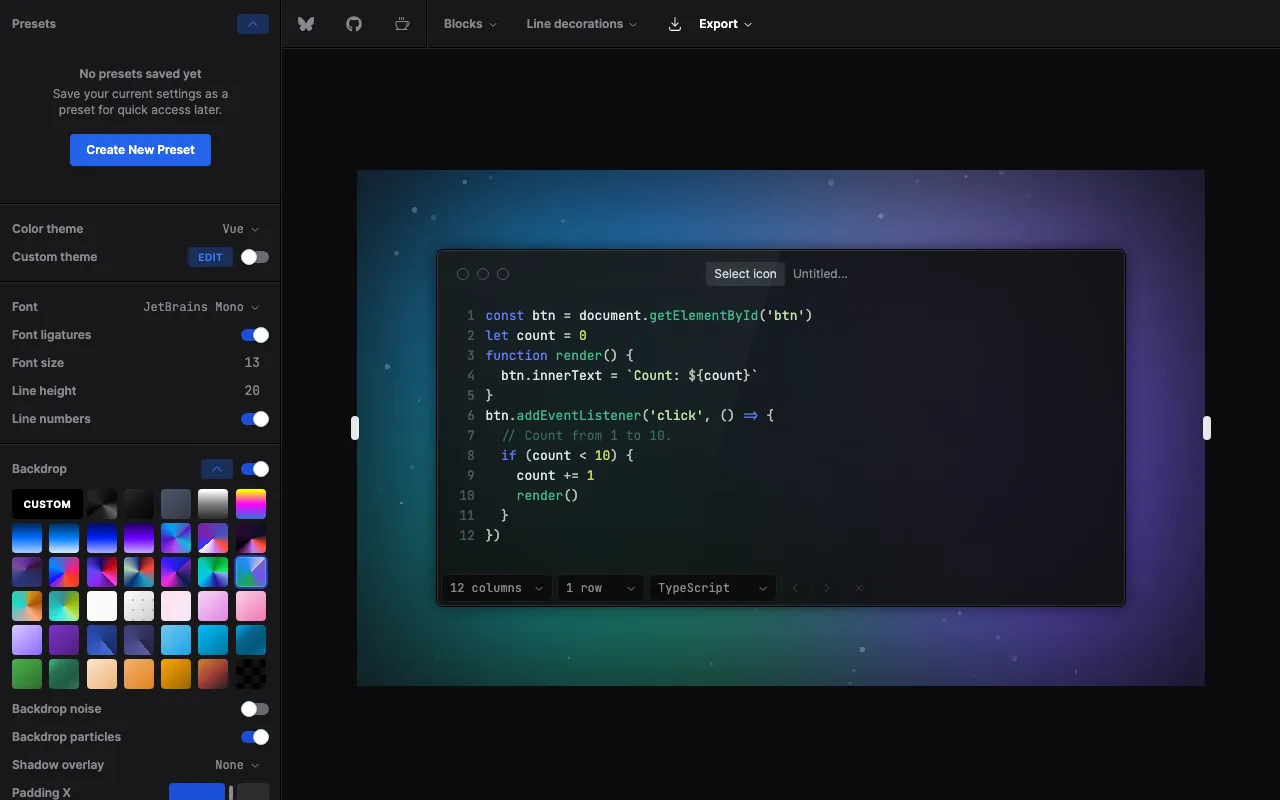
Chalk.ist is a browser app that turns pasted source code into styled images you can customize and export for sharing.
Overview
Chalk.ist focuses on rendering source code as visual images rather than running or analyzing programs. You paste or edit code in the interface and adjust how it appears before saving or exporting the result.
The editor exposes controls for syntax color themes, fonts, font ligatures, font size, line height, and line numbers. Layout options include padding, blocks, line decorations, backdrops with noise or particles, shadow overlays, and window framing with opacity, rounding, controls, shadows, highlights, and reflection effects.
You can pick icons, add social badges or watermarks, and save combinations of settings as named presets for reuse. A custom theme editor lets you tweak colors beyond the built-in palettes.
The product is accessed through the linked web app rather than as a local installable desktop program described in the scraped material.
Key features
- Syntax-highlighted code to image export
- Custom color themes and fonts
- Window and backdrop styling controls
- Line numbers and decorations
- Saved styling presets
- Optional watermarks and social badges
- Padding and layout tuning
- Icon selection for frames
Use cases
- Share code snippets on social media
- Create slides or docs with styled code
- Reuse favorite editor themes as presets
- Brand code screenshots with watermarks
- Preview fonts and ligatures on sample code


 Miro