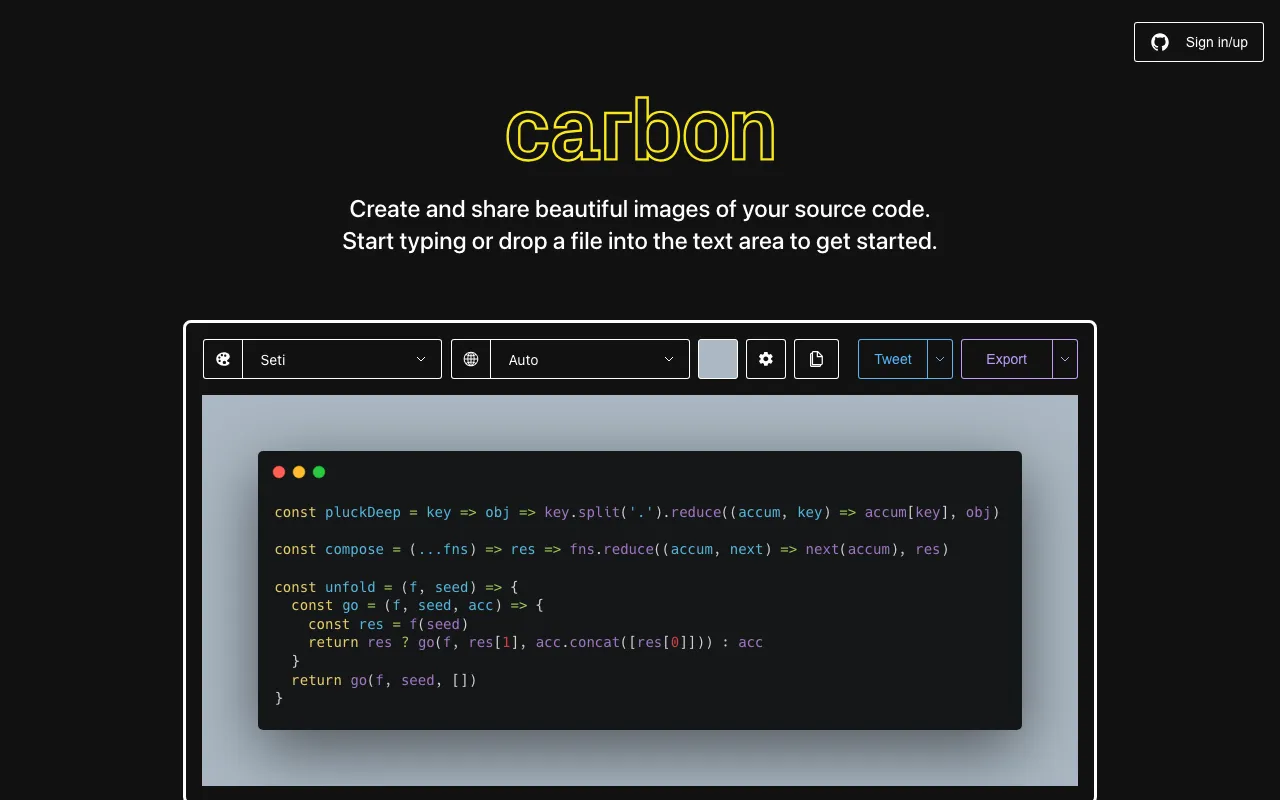
Carbon turns source code into styled images you can customize, download, or share. Import from typing, file drop, or a GitHub gist URL.
Overview
Carbon is a browser-based editor for turning source code into presentation-ready images. You paste or import code, then adjust syntax theme, background, fonts, padding, shadows, and window chrome before exporting or sharing the result.
Code can arrive by dropping a file, appending a gist id to the site URL, or typing directly in the editor. Export options include PNG and SVG download, copying the image to the clipboard, embedding via an embed URL, and sharing saved snippets whose links unfurl on Twitter and Slack.
Accounts let you save snippets that update automatically as you edit and reuse the same URL. Progressive Web App support in compatible browsers allows installing Carbon for offline use after visiting the site.
Community editor plugins and related tools extend the workflow, but the core product remains the online image builder and sharing flow centered on carbon.now.sh.
Key features
- Syntax theme and font customization
- PNG and SVG export
- GitHub gist URL import
- Embeddable iframe snippets
- Saved snippets with shareable URLs
- Social preview unfurling
- One-click image or link sharing
- Progressive Web App offline install
Use cases
- Social posts with code visuals
- Blog and documentation illustrations
- Talks and slide code snippets
- Sharing snippets with live source links
- Embedding copyable code on websites


 Miro