Lazygit
Terminal user interface for everyday Git workflows
Lazygit wraps common Git operations in a keyboard-driven terminal UI. You can stage partial changes, rebase, cherry-pick, and inspect history without memorizing fragile command sequences.

Ncurses text-mode interface for browsing Git repositories
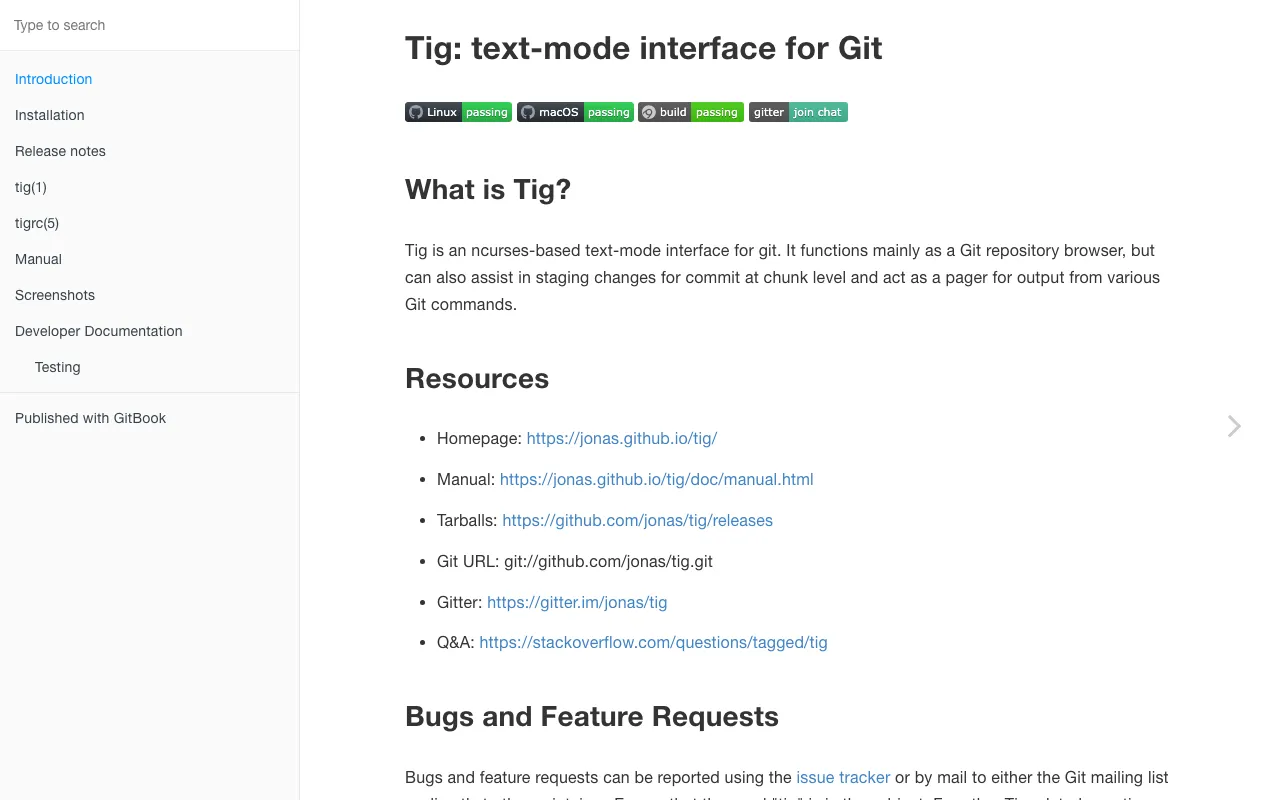
Tig is a terminal UI for Git that browses history, stages hunks for commit, and pages output from Git commands. It uses ncurses for navigation in the shell.
Tig brings a full-screen terminal interface to everyday Git work. It acts mainly as a repository browser for commits, trees, and diffs, so you can inspect project history without leaving the command line.
When you are preparing commits, Tig can help stage changes at chunk level, making it easier to review and select pieces of a diff before committing. It also works as a pager, presenting output from various Git commands in a structured, scrollable view.
Because it is ncurses-based, Tig fits remote servers and minimal environments where graphical Git clients are unavailable. It complements normal git CLI usage: you invoke tig or pipe Git output through it according to your workflow.
Source tarballs and installation instructions are published for building on your system. Bug reports and feature requests go through the issue tracker or project mailing list, with version details from tig -v helping diagnostics.
Terminal user interface for everyday Git workflows
Lazygit wraps common Git operations in a keyboard-driven terminal UI. You can stage partial changes, rebase, cherry-pick, and inspect history without memorizing fragile command sequences.

Self-hosted Git forge with CI/CD and packages
Gitea is an all-in-one software development service you can run on your own infrastructure. It combines Git hosting with issues, reviews, project boards, package registries, and Gitea Actions CI/CD.
Self-hosted Git service with web collaboration tools
Gogs hosts Git repositories over SSH and HTTP(S) and adds issues, pull requests, wikis, and organization features through a browser UI.
Official GitHub terminal client
GitHub CLI brings issues, pull requests, and other GitHub workflows to the terminal beside git. It works with GitHub.com, Enterprise Cloud, and supported Enterprise Server deployments.

End-to-end developer platform with SCM, CI/CD, and registries
Harness Open Source combines code hosting, automated DevOps pipelines, hosted development environments called Gitspaces, and artifact registries in one platform.
Lightweight native Git hooks for Node projects
Husky wires Git hooks so teams can lint commit messages, run tests, or check code on commit and push. It uses core.hooksPath, stays around two kilobytes gzipped, and supports macOS, Linux, and Windows.