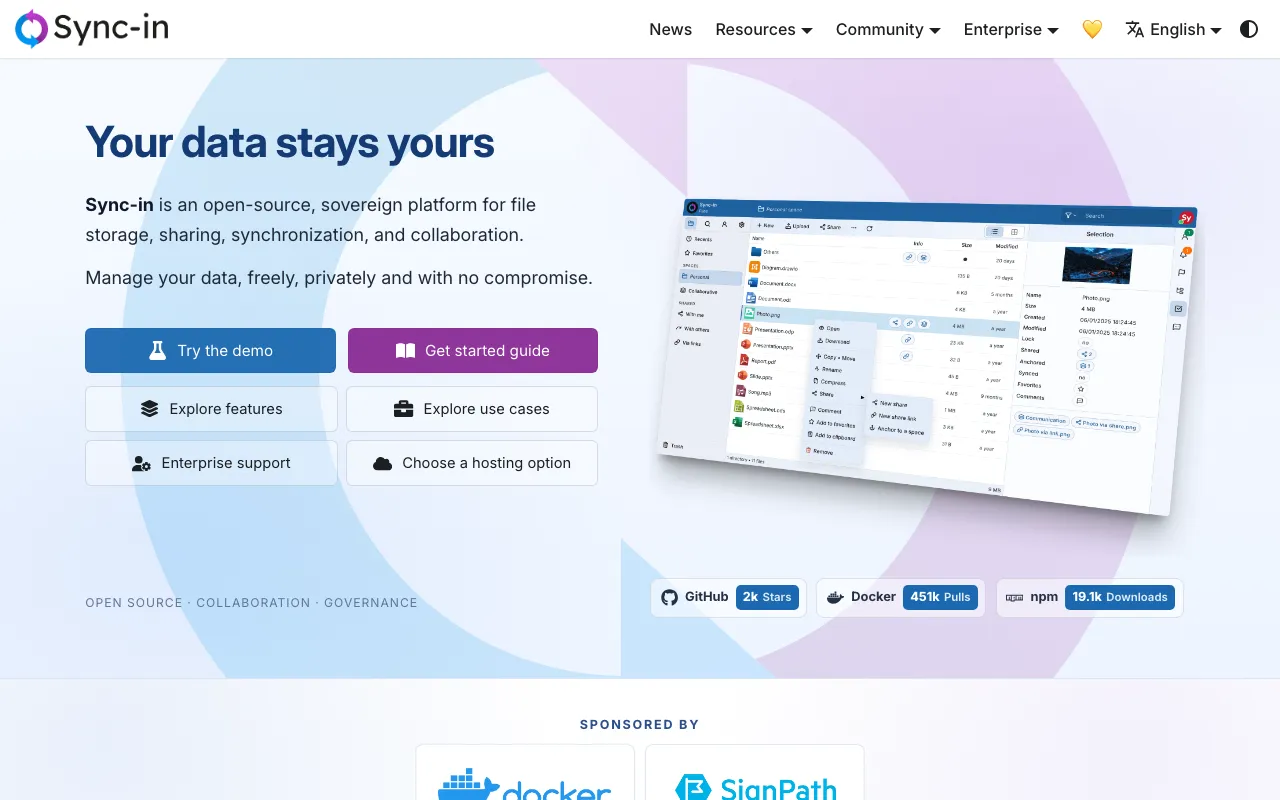
Sync-in is a self-hosted platform for storing, sharing and synchronizing files, with team spaces, online document editing, full-text search and WebDAV access. Files stay readable on the server's filesystem.
Overview
Sync-in is a self-hosted workspace for file storage, synchronization and team collaboration. It runs on your own infrastructure, on-premise or in a private cloud, and keeps files readable on the filesystem while adding collaboration features such as shares, comments and notifications.
Collaboration is organized around spaces, shares, guests and personal groups. Roles and fine-grained permissions control who sees what, and the same permission logic applies across the web interface, WebDAV, synchronization, editors and APIs. Public links can be protected with passwords, expiration dates and access limits. Existing folders can be anchored into spaces without duplicating data.
The web interface offers drag and drop, a smart clipboard, gallery view, sorting, filtering and file previews, and is available in more than 50 languages. Documents, spreadsheets, presentations and diagrams can be edited online through Collabora Online, OnlyOffice, Euro-Office and draw.io. Full-text search indexes the content of common office and document formats. Activity tracking, file locking, comments and notifications support teamwork.
Authentication supports local accounts, OIDC, LDAP, MFA, recovery codes and application passwords. WebDAV lets file explorers, network drives, mobile apps and third-party clients reach the files. Separate desktop and CLI clients for Windows, macOS and Linux synchronize files with one or more servers, with options such as direction, frequency and simulation mode. Storage quotas and trash retention are also available. Docker and NPM setups are documented.
Key features
- Spaces, shares, guests and personal groups
- Protected public links with expiry and passwords
- Online editing with Collabora, OnlyOffice, Euro-Office, draw.io
- Full-text search of document content
- WebDAV access
- Desktop and CLI sync clients
- OIDC, LDAP and MFA authentication
- Storage quotas and trash retention
Use cases
- Private team file storage and sharing
- Sharing documents with external guests and partners
- Collaborative editing of office documents
- Syncing files across desktops and servers
- Mounting storage as a network drive via WebDAV
Does the same job as
Sync-in doesn't name these products itself, but its own description shows it does the same job.


 Dropbox




 Miro

 Google Photos