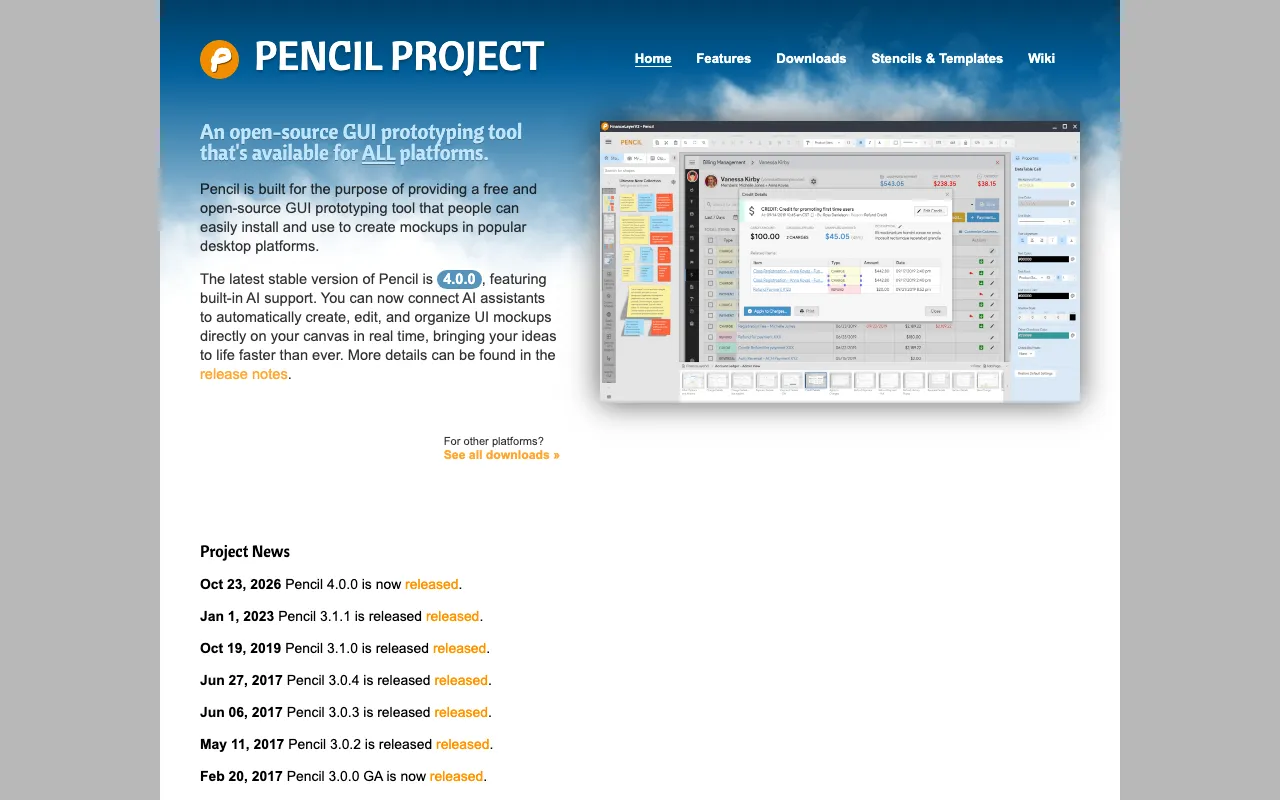
Pencil is a desktop wireframing and prototyping application for mockups, diagrams, and user flows. It ships vector stencil libraries and optional AI-assisted editing via a local MCP server.
Overview
Pencil targets developers, UX designers, and product teams who need diagram and GUI mockup tooling without relying on a hosted design service. Work happens on a vector canvas using built-in and installable stencil collections for UI frameworks, flowcharts, and icons.
Recent releases add Model Context Protocol support so compatible AI clients on your machine can inspect, create, and modify wireframes through natural language. MCP traffic and document files remain on localhost without cloud syncing or telemetry described for that path.
Stencil ecosystems cover shadcn/ui, Bootstrap, Material Design, mobile UI kits, flowchart shapes, and icon sets such as Tabler, Lucide, and FontAwesome. Collections can be browsed from an in-app repository or added from archives.
Installers are provided for macOS, Windows, and Linux. Documents use native Pencil file formats, and AI-connected workflows require configuring your assistant to reach the app’s internal HTTP MCP endpoint from settings.
Key features
- Vector wireframe and diagram canvas
- Built-in UI and flowchart stencils
- Local MCP server for AI assistants
- Editable vector shapes from AI prompts
- Multi-page document management
- Stencil and icon repository browser
- Export and page management tools
- Local-first document storage
Use cases
- UI screen mockups
- System and flow diagrams
- AI-assisted layout scaffolding
- Product team wireframing
- Installable stencil-based design kits
Does the same job as
Pencil doesn't name these products itself, but its own description shows it does the same job.




 Bolt.new