
Oh My Zsh
Community zsh configuration framework with plugins
Oh My Zsh manages zsh setup with bundled plugins, themes, and an installer driven by curl, wget, or fetch.

Unix shell upgrade path with bash compatibility
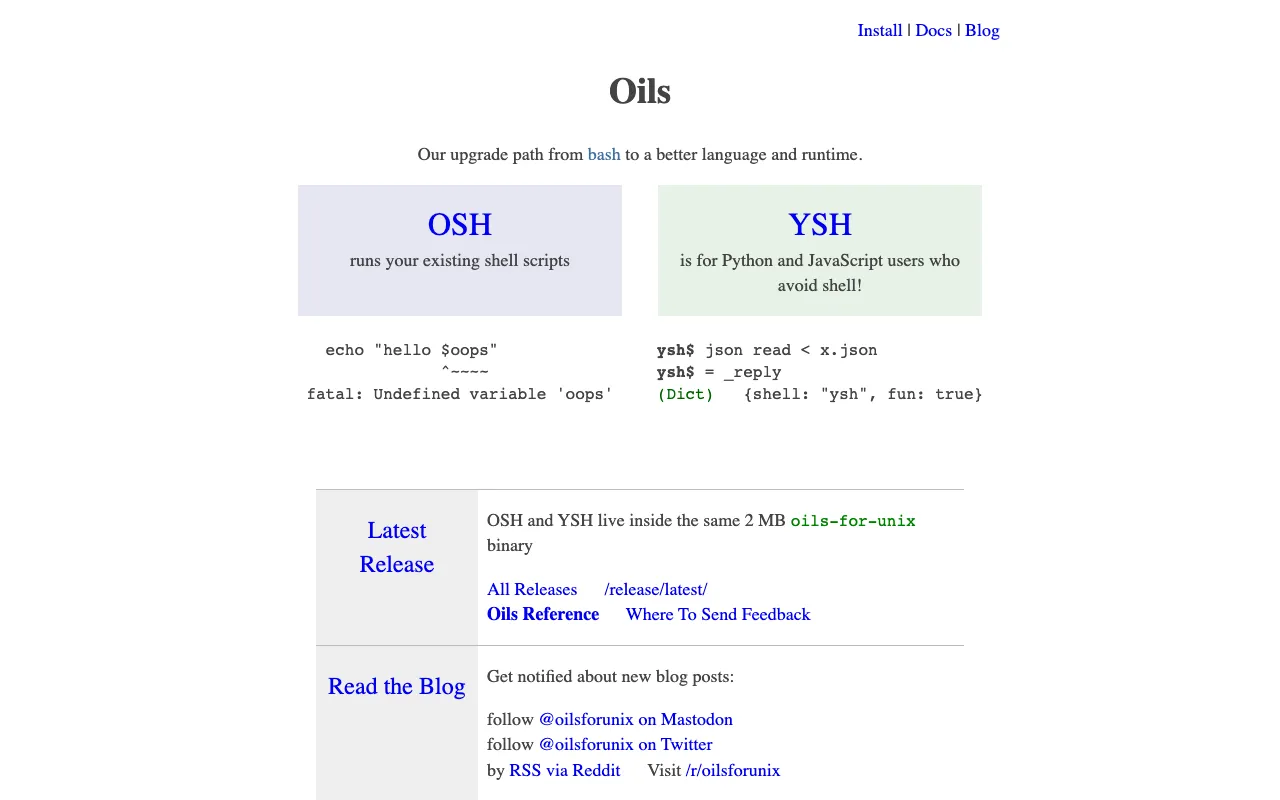
Oils offers a better shell language and runtime. OSH runs existing shell scripts; YSH targets users who prefer Python- or JavaScript-like syntax over traditional shell.
Oils is positioned as an upgrade path from bash to a different shell language and runtime. Two modes share one small binary: OSH runs your existing shell scripts, while YSH is aimed at Python and JavaScript users who want to avoid classic shell idioms.
Released builds ship as a compact executable that does not depend on Python at runtime, though development work is often done against a Python implementation that is translated to C++ for speed and size. The project documents clear differences between development trees and tarball releases for end users.
YSH examples in project materials show structured data workflows, such as reading JSON and working with typed values in the shell. OSH emphasizes compatibility with everyday shell scripting, including variables, echo, and running existing script files.
End-user installation and documentation are maintained on the project home site rather than through cloning the source tree. Reference material, release pages, and user-focused docs are linked from there.
Community zsh configuration framework with plugins
Oh My Zsh manages zsh setup with bundled plugins, themes, and an installer driven by curl, wget, or fetch.

Terminal AI agent for enterprise Gemini Code Assist
Gemini CLI is an open-source command-line agent for querying and editing codebases, running shell workflows, and connecting MCP tools under Gemini Code Assist on Google Cloud.

Modern tabbed terminal for Windows command-line users
Windows Terminal is a desktop terminal application for Windows with tabs, theming, and rich text. The same codebase includes the classic console host and shared rendering components.

General-purpose command-line fuzzy finder
Fzf filters lists interactively in the terminal using fuzzy matching. It ships as a single binary with shell and editor integrations.
Terminal user interface for everyday Git workflows
Lazygit wraps common Git operations in a keyboard-driven terminal UI. You can stage partial changes, rebase, cherry-pick, and inspect history without memorizing fragile command sequences.

Configurable cross-platform terminal with SSH and serial
Tabby is a terminal emulator for local shells, SSH, Telnet, and serial links on Windows, macOS, and Linux. It adds splits, tabs, themes, and integrated connection management.