
Oh My Zsh
Community zsh configuration framework with plugins
Oh My Zsh manages zsh setup with bundled plugins, themes, and an installer driven by curl, wget, or fetch.

Cross-platform structured data shell
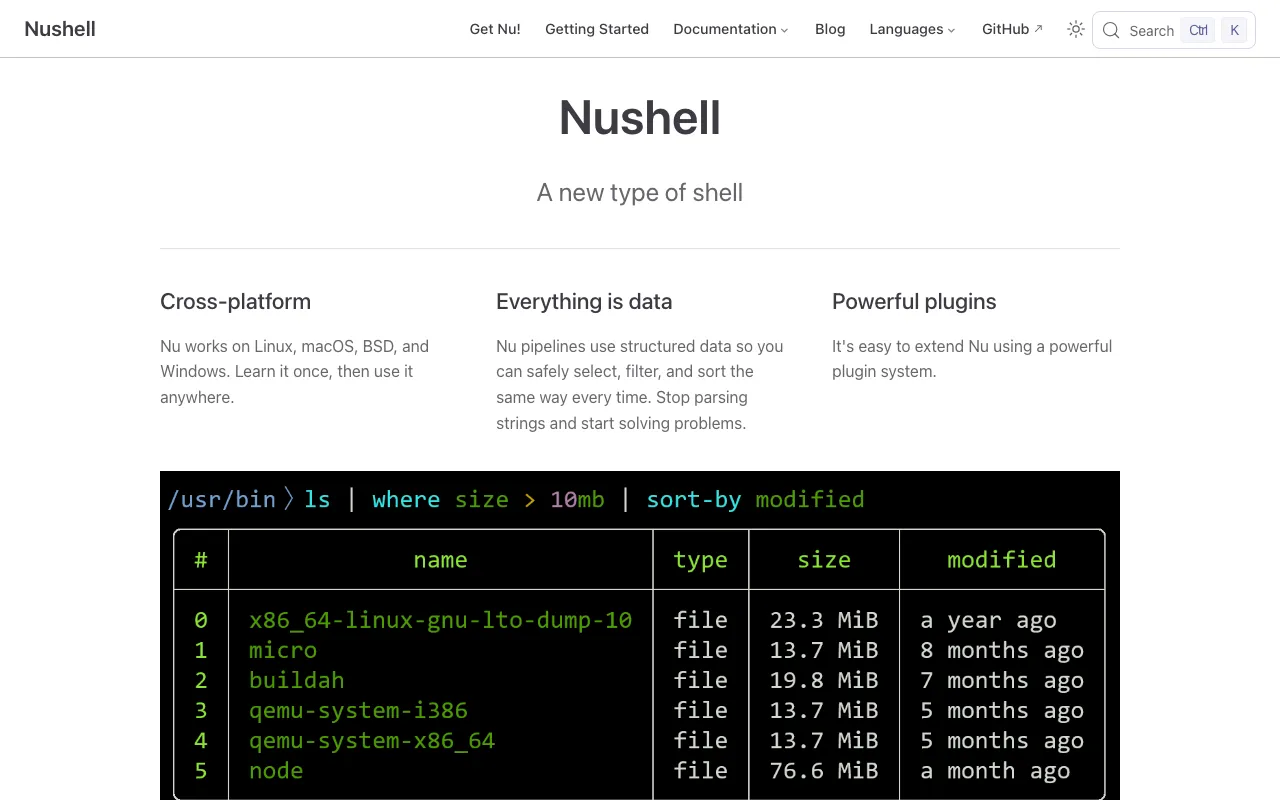
Nushell is a shell that treats command output as structured tables and records instead of plain text. It runs on Windows, macOS, and Linux and pipes typed data through commands.
Nushell is a modern shell where listings, filters, and transformations work on structured values rather than unparsed strings. Directory listings become tables of rows, and pipelines compose commands that produce, filter, or consume those streams with a pipe operator flowing left to right.
The design draws on ideas from PowerShell-style structured shells and functional pipelines. Built-in commands can load files and URLs as text or parsed structures when the format is recognized, so JSON, YAML, SQLite, Excel, and similar sources enter the pipeline without ad hoc parsing. External platform executables remain callable alongside native Nu commands.
Nu supports plugins that extend the shell through a JSON-RPC protocol, using the same structured data model as built-ins. Configuration lives in user config files that set defaults on first launch, and documentation is published as a book with command references and examples. The project targets cross-platform daily use with first-class Windows, macOS, and Linux support.
Error reporting is typed: because data carries structure, the shell can point to where a pipeline failed. Packaging is available through common package managers, downloadable binaries, Nix, Homebrew,/winget, and a GitHub Action for CI environments.
Community zsh configuration framework with plugins
Oh My Zsh manages zsh setup with bundled plugins, themes, and an installer driven by curl, wget, or fetch.

Terminal AI agent for enterprise Gemini Code Assist
Gemini CLI is an open-source command-line agent for querying and editing codebases, running shell workflows, and connecting MCP tools under Gemini Code Assist on Google Cloud.

Modern tabbed terminal for Windows command-line users
Windows Terminal is a desktop terminal application for Windows with tabs, theming, and rich text. The same codebase includes the classic console host and shared rendering components.

General-purpose command-line fuzzy finder
Fzf filters lists interactively in the terminal using fuzzy matching. It ships as a single binary with shell and editor integrations.
Terminal user interface for everyday Git workflows
Lazygit wraps common Git operations in a keyboard-driven terminal UI. You can stage partial changes, rebase, cherry-pick, and inspect history without memorizing fragile command sequences.

Configurable cross-platform terminal with SSH and serial
Tabby is a terminal emulator for local shells, SSH, Telnet, and serial links on Windows, macOS, and Linux. It adds splits, tabs, themes, and integrated connection management.