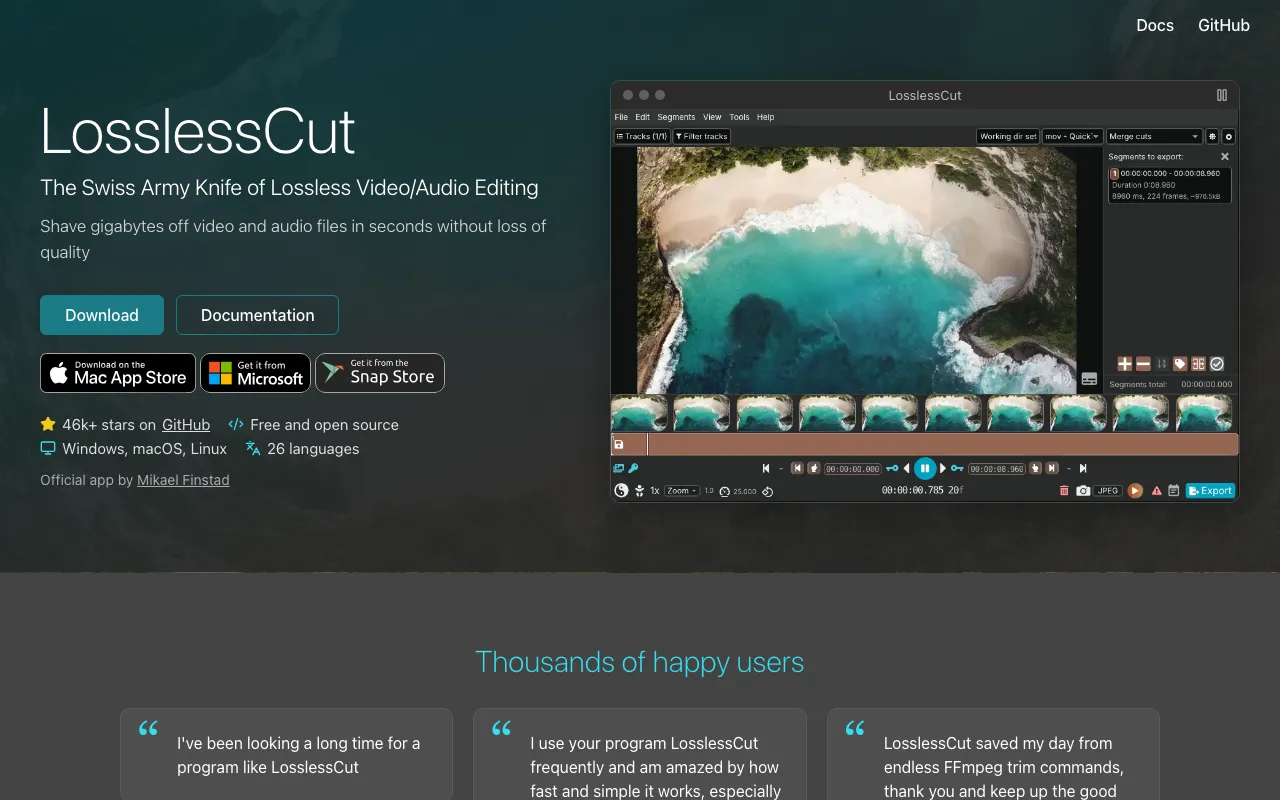
LosslessCut is a desktop app for fast lossless trimming, cutting, and remuxing of video and audio. It copies media streams without re-encoding so large camera or drone files can be edited quickly.
Overview
LosslessCut is a cross-platform desktop application that provides a graphical interface around FFmpeg for lossless work on video, audio, subtitle, and related media files. Its primary workflow is trimming and cutting without re-encoding, which helps shrink large recordings from cameras, GoPro units, drones, and similar sources while avoiding generation loss.
Operations rely on near-direct data copies, so cuts and merges complete in seconds rather than through long transcodes. Users can merge segments or whole files that share identical codecs, add or remove audio and subtitle tracks, remux between containers such as MKV and MP4, and work with chapters, markers, tags, CSV, and EDL import or export. The tool can detect scenes, black frames, and silence to split files automatically, and supports metadata edits, rotation fixes, snapshots, and frame export.
Playback uses the Chromium HTML5 player for common formats including MP4, MOV, WebM, Matroska, OGG, and WAV, with FFmpeg-assisted playback when codecs are not natively supported. Export still comes from the original file to remain lossless. Additional interfaces include keyboard shortcuts, a command-line tool, and an HTTP API.
Official builds are available for Windows, macOS, and Linux through the project website, GitHub releases, and optional app store listings. Lossless cuts must start at keyframes, so edit points may snap slightly earlier than the chosen position depending on encoding.
Key features
- Lossless video and audio cut and trim
- Merge segments with matching codecs
- Track add, remove, and extract
- Remux without re-encoding
- Chapters, markers, and EDL support
- Scene and silence detection splits
- CLI and HTTP API
- Broad format support via FFmpeg
Use cases
- Rough-cutting large camera or drone footage
- Removing commercials from TV recordings
- Extracting or replacing audio tracks
- Joining clips from the same device
- Cutting by MP4 or MKV chapters


 CapCut