
npkill
Terminal tool to find heavy dev folders
npkill scans for large development leftovers such as node_modules, caches, and build artifacts. A TUI shows size, age, and lets you delete safely.
Terminal UI for Linux kernel modules and activity
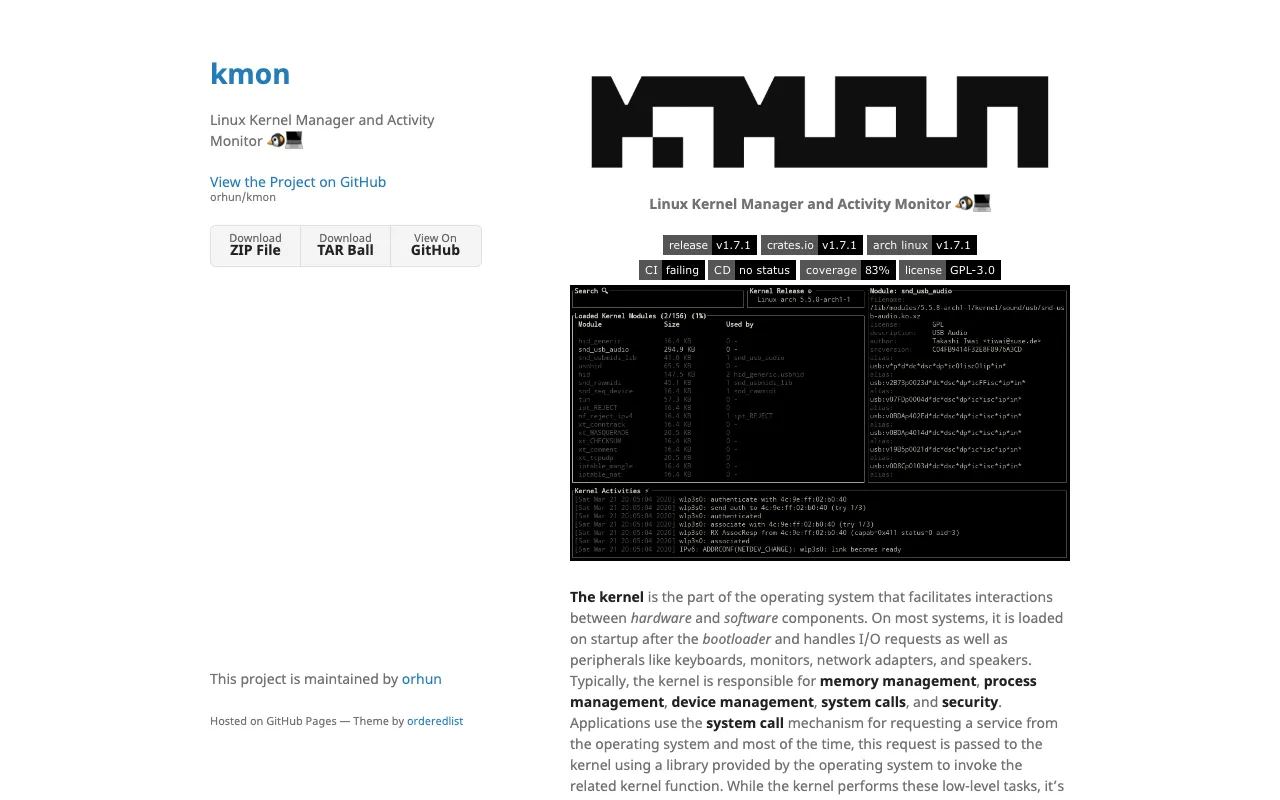
kmon offers a text-based interface to manage loadable kernel modules and watch kernel activity on Linux. It combines tasks that usually need separate tools like dmesg and kmod into one terminal window.
kmon is a Linux Kernel Manager and Activity Monitor built as a terminal user interface. It lets you load, unload, blacklist, and inspect kernel modules, and follow hardware logs and kernel messages in a real-time activity view.
The interface is organized in blocks you can resize, reorder, and scroll. You can search modules by name or regular expression, view dependent modules, jump between them, reload modules, and clear the kernel ring buffer. Kernel release, version, and platform information are available in dedicated views.
The tool is written in Rust and uses Ratatui and termion for the TUI. It expects standard utilities such as dmesg and kmod on the system. Install options mentioned in the project include Cargo, Linux distribution packages, Nixpkgs, Alpine, Docker, and manual binaries.
Customization includes terminal colors and accent colors, Unicode block titles, configurable refresh tick rate, and sorting of the module list by name, size, or dependencies.
Terminal tool to find heavy dev folders
npkill scans for large development leftovers such as node_modules, caches, and build artifacts. A TUI shows size, age, and lets you delete safely.

Community zsh configuration framework with plugins
Oh My Zsh manages zsh setup with bundled plugins, themes, and an installer driven by curl, wget, or fetch.

Open-source Windows desktop utility collection
Microsoft PowerToys bundles many small utilities for customizing Windows and streamlining common desktop tasks. Users install it on Windows through several package channels.

Terminal AI agent for enterprise Gemini Code Assist
Gemini CLI is an open-source command-line agent for querying and editing codebases, running shell workflows, and connecting MCP tools under Gemini Code Assist on Google Cloud.

Modern tabbed terminal for Windows command-line users
Windows Terminal is a desktop terminal application for Windows with tabs, theming, and rich text. The same codebase includes the classic console host and shared rendering components.

General-purpose command-line fuzzy finder
Fzf filters lists interactively in the terminal using fuzzy matching. It ships as a single binary with shell and editor integrations.