Lazygit
Terminal user interface for everyday Git workflows
Lazygit wraps common Git operations in a keyboard-driven terminal UI. You can stage partial changes, rebase, cherry-pick, and inspect history without memorizing fragile command sequences.

Terminal user interface for browsing GitHub work
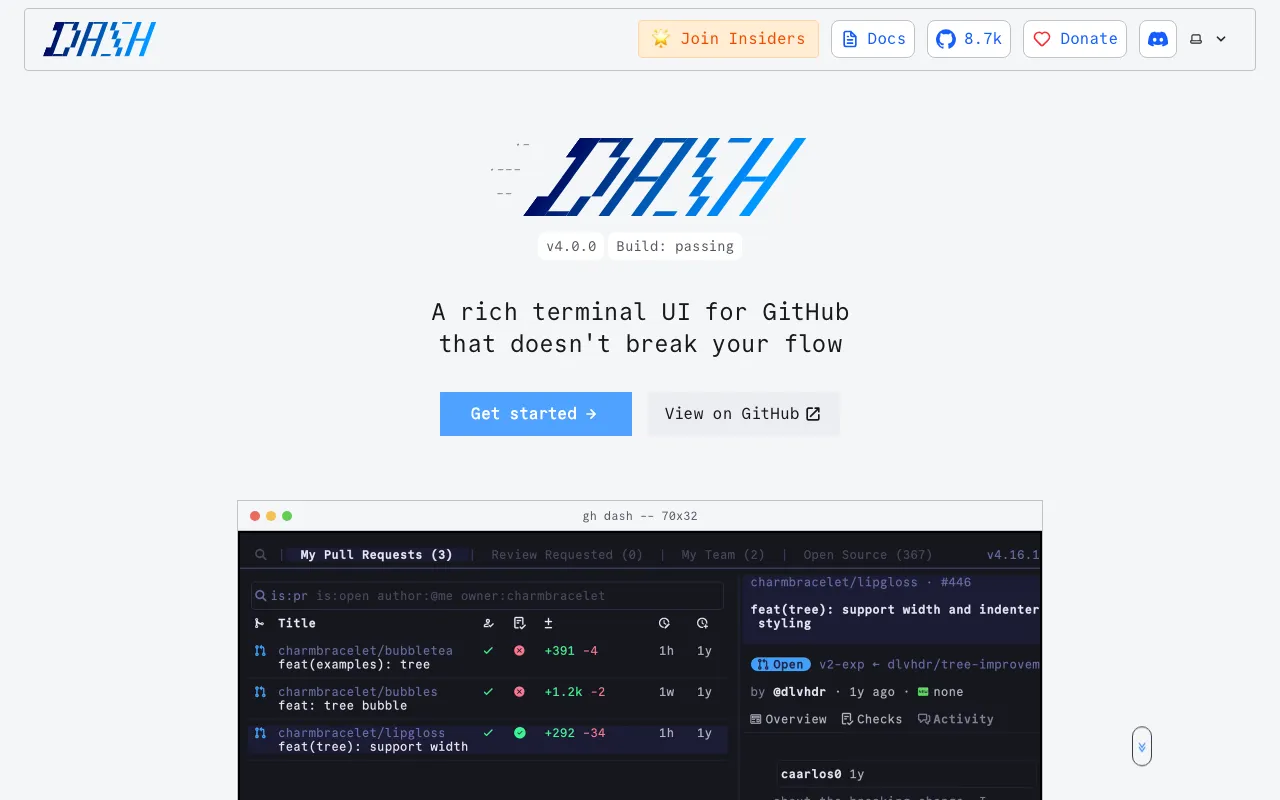
DASH is a rich terminal UI for GitHub pull requests and issues so you can stay in the shell.
Gh DASH (DASH) presents GitHub pull requests and issues in a full-screen terminal interface so you can triage work without constantly switching to a browser. It is aimed at keyboard-driven developers who want PRs and issues visible alongside their shell workflow.
You define sections per repository with YAML filters, for example open PRs you authored or issues matching a project name. Vim-style navigation keys move between rows and sections, with shortcuts to open items in a browser, copy URLs or numbers, and perform Git operations such as viewing diffs, commenting, checking out branches, and pushing changes described in the feature list.
Custom actions bind keys to arbitrary shell commands, passing context like repository path and PR number. Themes, table layout, and colors are controlled through the same config file. Documentation lives on a dedicated docs site, and the tool is distributed as a GitHub CLI extension.
DASH is built with Go terminal UI libraries from the Charm stack and integrates with the gh command-line ecosystem.
Terminal user interface for everyday Git workflows
Lazygit wraps common Git operations in a keyboard-driven terminal UI. You can stage partial changes, rebase, cherry-pick, and inspect history without memorizing fragile command sequences.

Syntax-highlighting pager for git and diff output
delta replaces less for git show, diff, and blame with themes, word-level highlights, and side-by-side layout. Configure it as git’s pager or launch an interactive TUI on top of gitu.

Terminal user interface for everyday Git workflows
GitUI is a terminal-based Git client written in Rust. It targets keyboard-driven staging, commits, history, and remotes without leaving the shell.

Community zsh configuration framework with plugins
Oh My Zsh manages zsh setup with bundled plugins, themes, and an installer driven by curl, wget, or fetch.

Terminal AI agent for enterprise Gemini Code Assist
Gemini CLI is an open-source command-line agent for querying and editing codebases, running shell workflows, and connecting MCP tools under Gemini Code Assist on Google Cloud.

Modern tabbed terminal for Windows command-line users
Windows Terminal is a desktop terminal application for Windows with tabs, theming, and rich text. The same codebase includes the classic console host and shared rendering components.