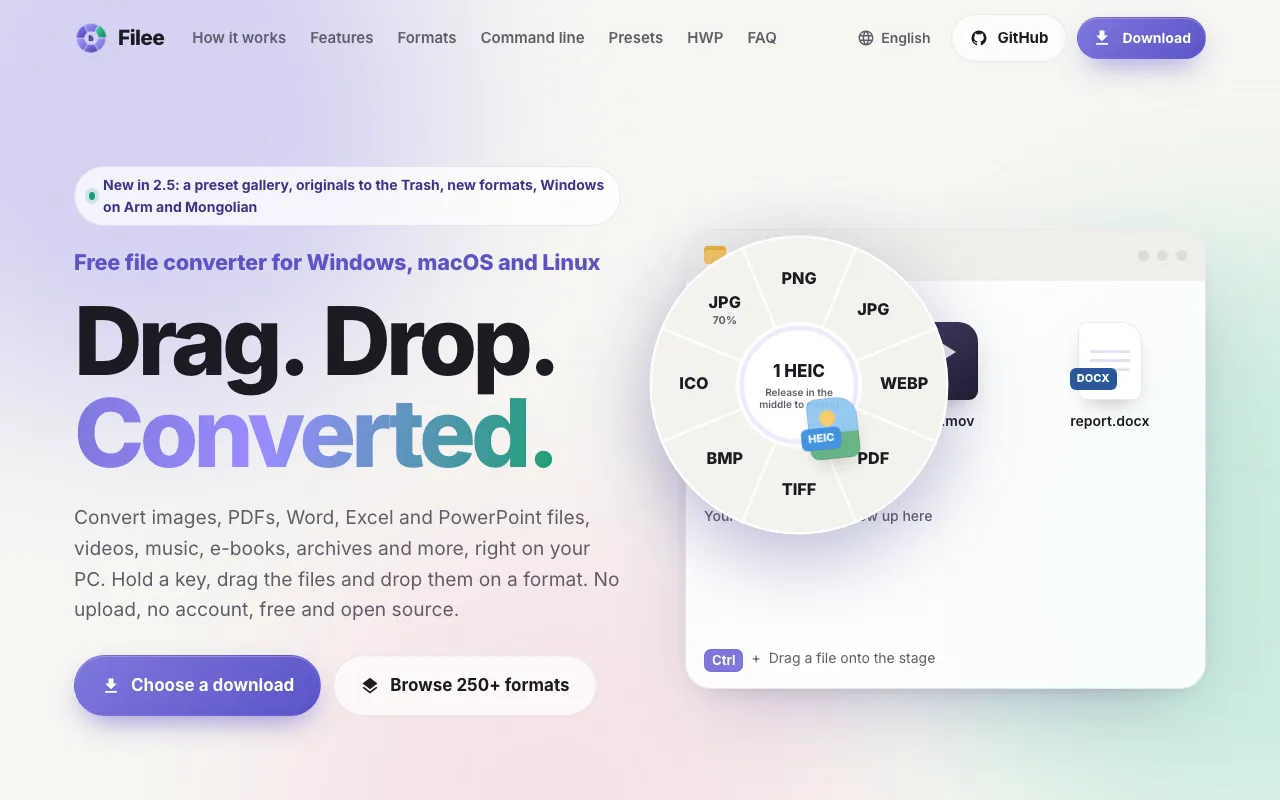
Filee converts hundreds of file types locally without uploads. A cursor donut UI, presets, watch folders, and a filee CLI share the same conversion engines.
Overview
Filee is a desktop converter that appears as a format ring at the cursor when you hold a modifier key and drag files. Only formats valid for the selection are shown, and output files are written beside the originals with no cloud upload.
Supported domains include images and RAW, vectors, PDF, Office-style documents, HWP and HWPX, spreadsheets, presentations, ebooks, video, audio, subtitles, archives, CAD, fonts, JSON and YAML, 3D meshes, and geospatial data. Many conversions work without Microsoft Office, Hancom Office, or LibreOffice installed; optional engines such as FFmpeg, LibreOffice, Calibre, Ghostscript, and Pandoc download when needed.
Presets control quality, resolution, PDF merge or split, video codecs, output folders, and naming. Features include batch parallel conversion, multi-step routes, crop-before-convert, browser drag-in, Explorer context menus, watch folders, a preset gallery, and recent history with thumbnails on Home.
Installers target Windows, Linux, and a macOS preview, plus portable layouts and a filee command that mirrors app behavior for scripting. Privacy policy states conversion stays on the machine and telemetry is not collected beyond optional update checks and chosen engine downloads.
Key features
- Cursor donut format picker
- 250+ format conversion routes
- Offline processing, no uploads
- Per-type presets and preset gallery
- Watch folders and batch parallel jobs
- HWP and HWPX without Hancom Office
- Optional FFmpeg and LibreOffice engines
- filee CLI matching app presets
Use cases
- Quick image or HEIC conversion
- HWP documents to PDF or DOCX
- Batch PDF merge or compression
- Video to audio extraction
- Scripted folder conversion via CLI

 Google Photos


 CapCut