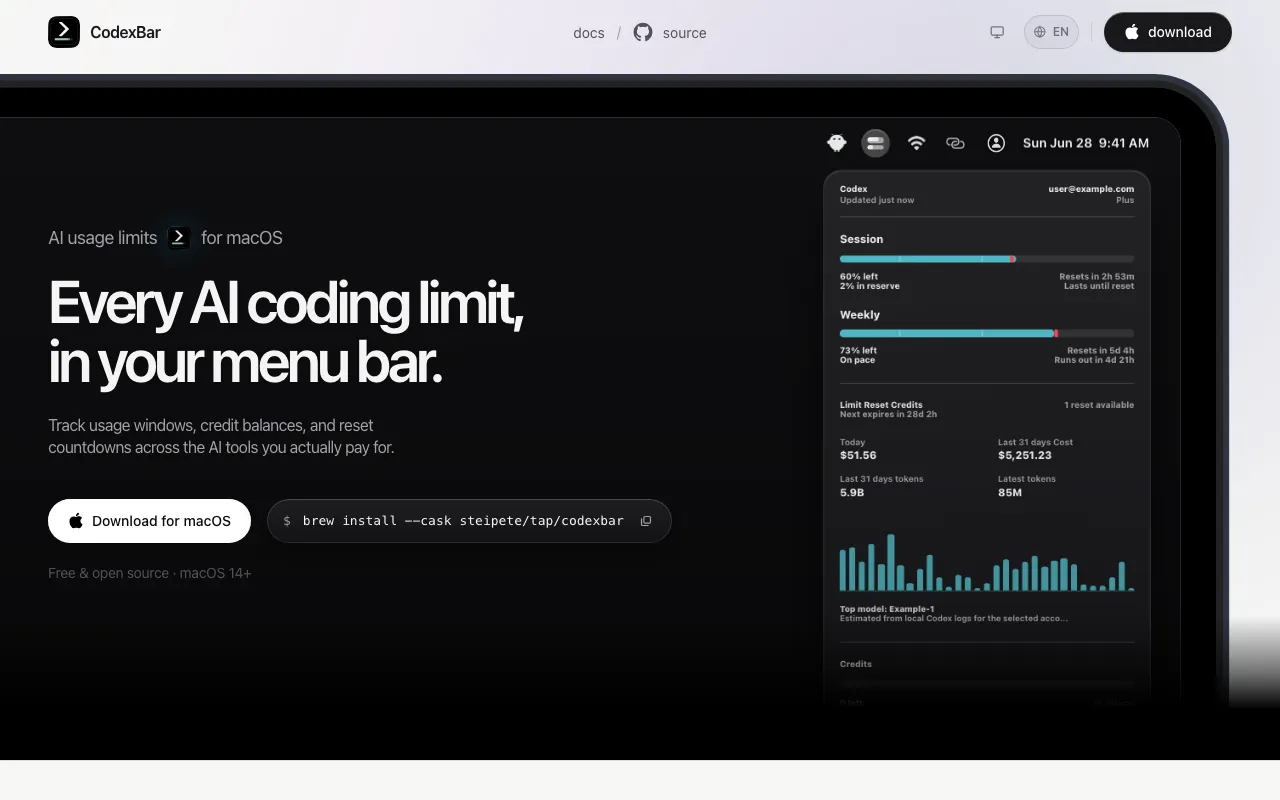
CodexBar shows session, weekly, and monthly usage windows for many AI coding services. It runs on macOS and Linux with an optional CLI.
Overview
CodexBar is a small desktop utility that keeps AI coding subscription limits visible while you work. On macOS it lives in the menu bar with dynamic icons, optional merged provider switching, and widgets for usage, spend, and reset timers.
It connects to a long list of providers such as Codex, Claude, Cursor, Gemini, Copilot, and many API or gateway services. Authentication reuses existing sessions through OAuth, device flow, API keys, browser cookies, or local CLI credentials rather than storing passwords.
The app surfaces per-window quotas, credit balances, billing summaries, and countdowns to the next reset. Provider status polling can show incident badges on the icon and in menus. Local cost scans appear where logs or APIs expose enough detail.
A bundled codexbar command mirrors menu-bar output for scripts and terminal checks, with release tarballs for macOS and Linux. A Qt desktop build supports Wayland and X11, optional tray integration, and an Omarchy bar widget that shares the same data.
Key features
- Menu bar usage and reset countdowns
- Broad multi-provider integrations
- OAuth, cookies, and API key auth
- Credit, spend, and cost summaries
- Provider incident status badges
- Matching codexbar CLI output
- Linux desktop and Omarchy widget
- macOS WidgetKit home screen tiles
Use cases
- Monitoring Codex or Claude quotas
- Planning work before weekly resets
- Checking Cursor plan usage
- Scripting usage via terminal CLI
- Tracking spend across API gateways


 Claude Code