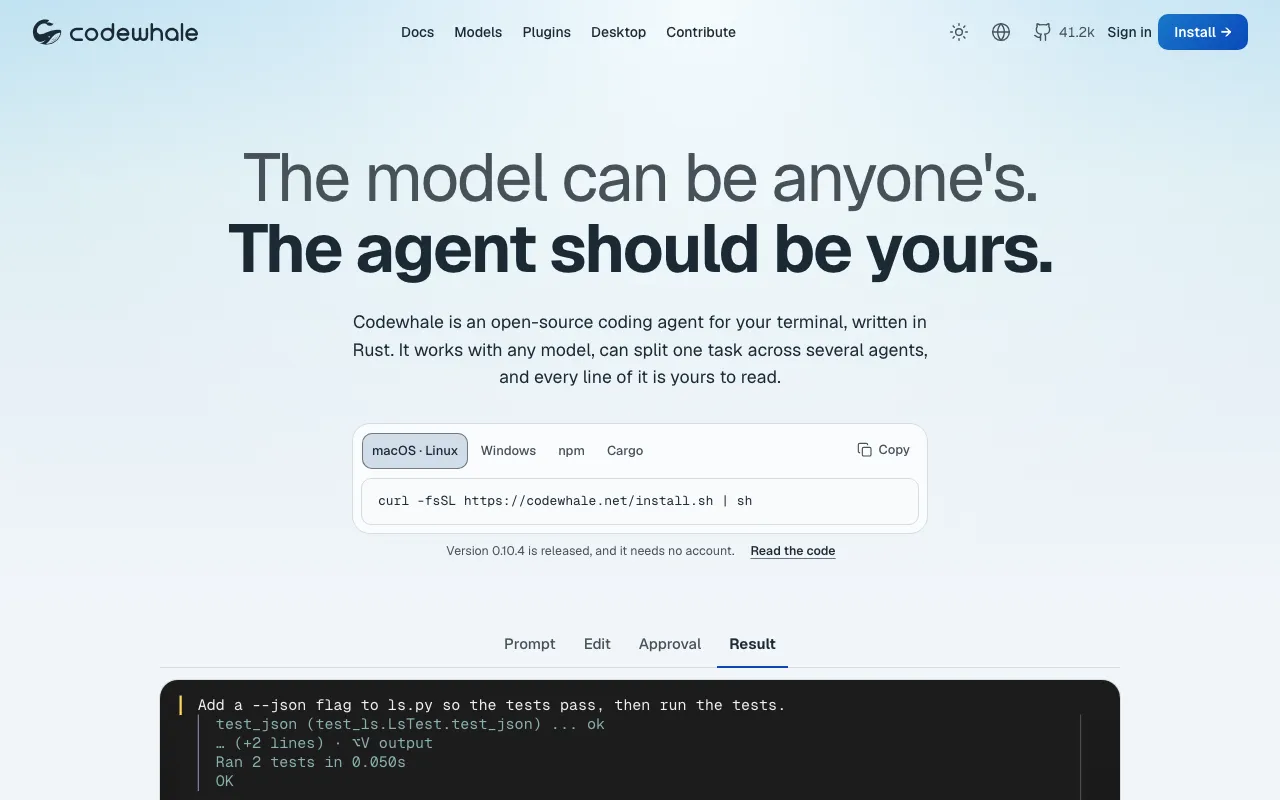
Codewhale is a Rust-based coding agent for the terminal, local web UI, and headless exec runs. It connects to many cloud and local models, enforces approval modes, and records session receipts.
Overview
Codewhale runs as an interactive terminal application inside a git repository, editing project files and executing shell commands under user-chosen permission modes. It supports dozens of model providers plus OpenAI-compatible endpoints and local runtimes such as Ollama, vLLM, and SGLang, with mid-session model switching.
Permission modes range from read-only planning through accept-edits defaults, automated review, and full access. On macOS and Linux, commands can run inside OS sandboxes that block reads of common credential paths unless the user escalates mode. API keys configured through the provider UI stay on the machine.
Beyond the TUI, entry points include headless exec for scripts, a local web client on loopback, GitHub pull request review, an HTTP app server API, and Agent Client Protocol stdio for editors such as Zed. Features include sub-agents, fleets, MCP servers, skills, plugins, receipts with undo, and optional import of instructions from other agent tooling.
Prebuilt binaries target Linux, macOS, and Windows on x64 and arm64, with install scripts, package managers, and container images documented separately. A community VS Code extension talks to the same engine.
Key features
- Multi-provider model routing
- Permission and sandbox modes
- Session receipts and undo
- MCP skills and plugins
- Sub-agents and fleets
- Local web and exec entry points
- GitHub PR review command
- OpenAI-compatible and Ollama local
Use cases
- Repository-scoped AI coding
- CI headless code tasks
- Local models without cloud keys
- Editor integration via ACP
- Reviewing pull requests with your key


 Claude Code