
Oh My Zsh
Community zsh configuration framework with plugins
Oh My Zsh manages zsh setup with bundled plugins, themes, and an installer driven by curl, wget, or fetch.

Portable Windows console with tabs and Git
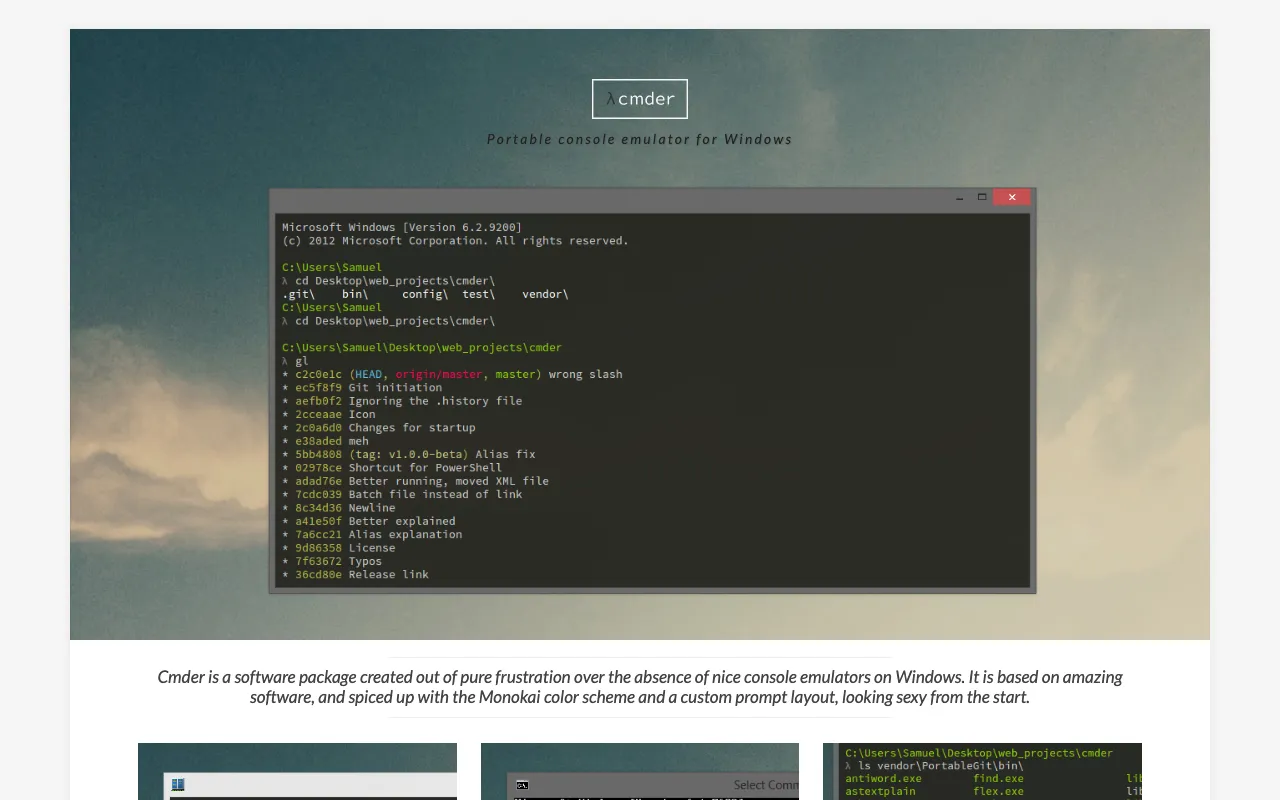
Cmder wraps ConEmu and Clink into a portable Windows terminal with tabs for CMD, PowerShell, and Bash, plus aliases and optional bundled Git tools.
Cmder is a packaged console environment for Windows built on ConEmu as the emulator and Clink for readline-style editing. It targets developers who want a single portable install that can run from a USB drive or synced folder without administrator paths.
Tabs can open standard CMD, elevated CMD, PowerShell, administrative PowerShell, Bash, or Mintty sessions. CMD and PowerShell tabs use the Windows console API and inherit ConEmu color schemes and key bindings. The full distribution can include a vendored Git for Windows stack so Unix-style tools appear on PATH; a smaller build omits Git.
Customization covers Monokai-style themes, Clink-based prompts, user aliases, profile scripts under config folders, and optional per-user config roots when launched with dedicated command-line flags. Context menu registration can add a "Cmder Here" entry to open the shell in the selected directory.
Keyboard shortcuts handle tab creation, splits, directory traversal up the tree, history search, and copy from the scrollback buffer. The package is designed to be self-contained rather than tied to a global Windows install location.
Community zsh configuration framework with plugins
Oh My Zsh manages zsh setup with bundled plugins, themes, and an installer driven by curl, wget, or fetch.

Terminal AI agent for enterprise Gemini Code Assist
Gemini CLI is an open-source command-line agent for querying and editing codebases, running shell workflows, and connecting MCP tools under Gemini Code Assist on Google Cloud.

Modern tabbed terminal for Windows command-line users
Windows Terminal is a desktop terminal application for Windows with tabs, theming, and rich text. The same codebase includes the classic console host and shared rendering components.

General-purpose command-line fuzzy finder
Fzf filters lists interactively in the terminal using fuzzy matching. It ships as a single binary with shell and editor integrations.
Terminal user interface for everyday Git workflows
Lazygit wraps common Git operations in a keyboard-driven terminal UI. You can stage partial changes, rebase, cherry-pick, and inspect history without memorizing fragile command sequences.

Configurable cross-platform terminal with SSH and serial
Tabby is a terminal emulator for local shells, SSH, Telnet, and serial links on Windows, macOS, and Linux. It adds splits, tabs, themes, and integrated connection management.